Bug reports your team can reproduce.
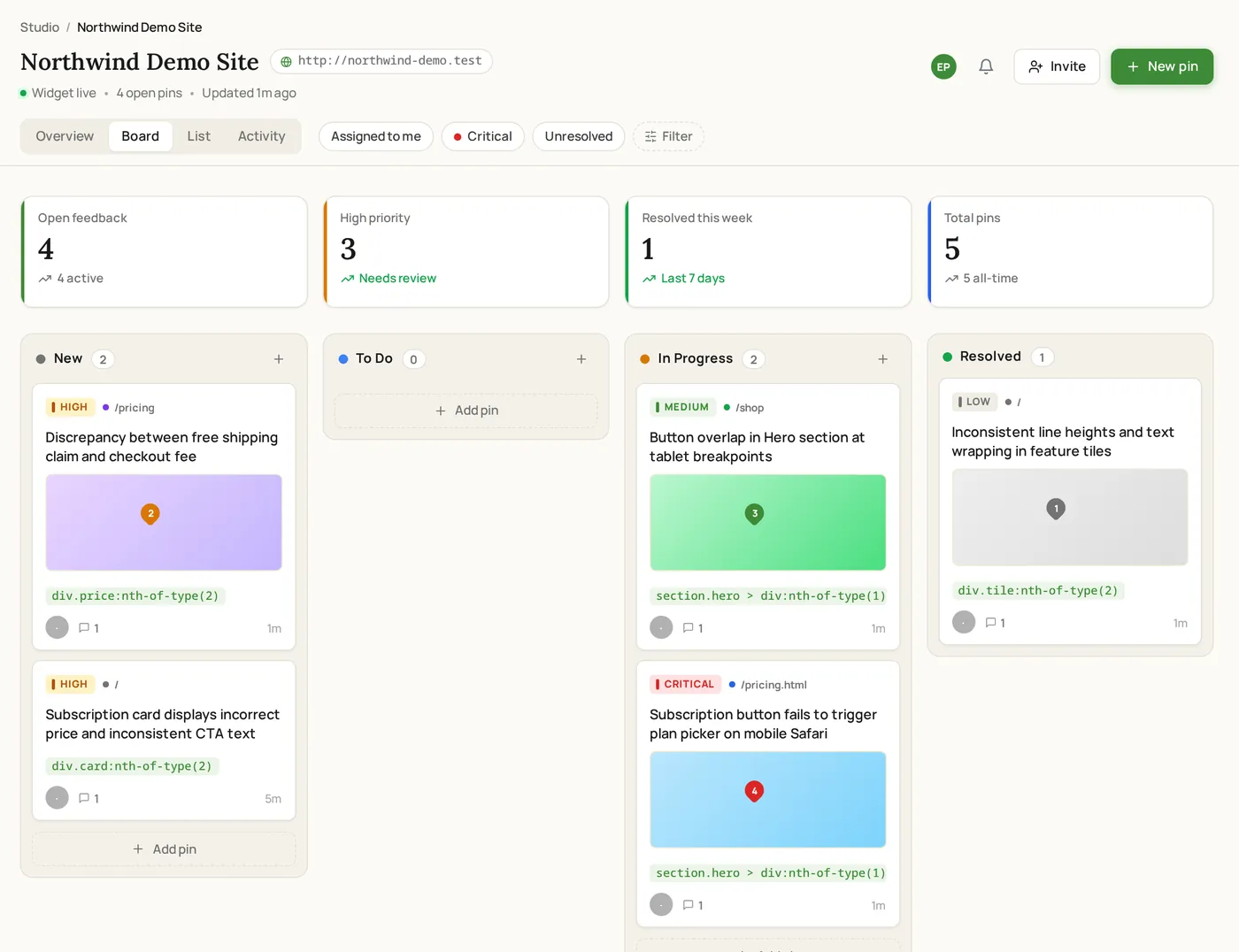
Reports arrive with the page URL, browser, OS, viewport, and clicked element attached, plus a screenshot when the page supports capture. Triage them on one board with status, priority, and assignee.
- Browser, OS, viewport, URL, and clicked element attached automatically
- Page targeting and allowed origins decide where the widget runs
- Status tracking from open to resolved on one board
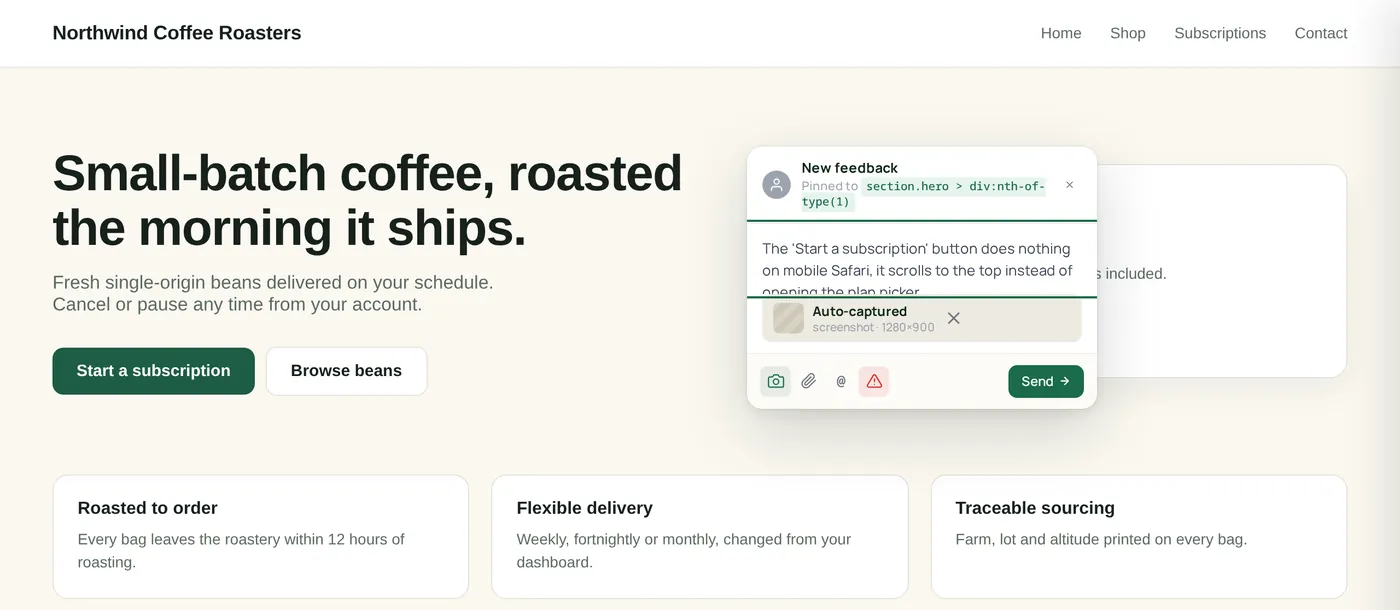
Reproduce, triage, close
Every bug becomes a reproducible report. Every report becomes a task on the board. Every task closes with its history attached.
Decide where the widget runs
Enable the widget per project, restrict it to specific paths with targeting rules, and limit submissions to allowed origins.
Someone reports a bug
The report attaches URL, viewport, browser, OS, and the clicked element, plus a screenshot when the page supports capture. Reporters can add steps to reproduce.
Triage on the board
Assign an owner, set priority, and move the report through your columns as work progresses. AI-assisted summaries clean up long or messy reports.
Resolve and close the loop
Mark the report resolved and keep the full comment history on the item, with a shareable link for anyone outside the workspace.
Bug-report problems, solved
Built for engineering rigor
Browser + page context
URL, viewport, browser, OS, and the clicked element stay attached to the report so QA and engineering can reproduce issues faster.
Scoped widget delivery
Per-project on/off toggle, path targeting rules, and allowed origins keep the widget where you want it.
Shareable report links
Send a single report to someone outside the workspace with the screenshot and context intact.
Screenshot capture
When the page supports capture, the report arrives with a screenshot of exactly what the reporter saw.
Most dev & qa teams start on Studio.
Why it fits
50 team members, 200 GB storage, browser and viewport context, and email support.
Where ClickCues fits
The parts of ClickCues this workflow leans on
See how the other teams ship.
Need cleaner task summaries too? See AI Feedback Intelligence
Stop decoding vague feedback. Start shipping.
Drop one script tag. Invite your team. Get your first pinned comment in under five minutes.