A website feedback widget you install once
One project-specific script tag puts a feedback launcher on the pages you choose. You control which paths show it, which origins may submit to it, and when it stops accepting new feedback.
A website feedback widget is a small piece of JavaScript you add to your own site so visitors and reviewers can submit feedback from the page they are on. The ClickCues widget is project-specific, loads asynchronously after paint, and can be limited to chosen paths and origins or switched off entirely per project.
Free 7-day trial · Card only at checkout · Manage from Settings
Clear feedback. Fewer revisions. Faster launches.
Used by freelancers, agencies, and marketing teams
Try the widget
The reviewer side, state by state
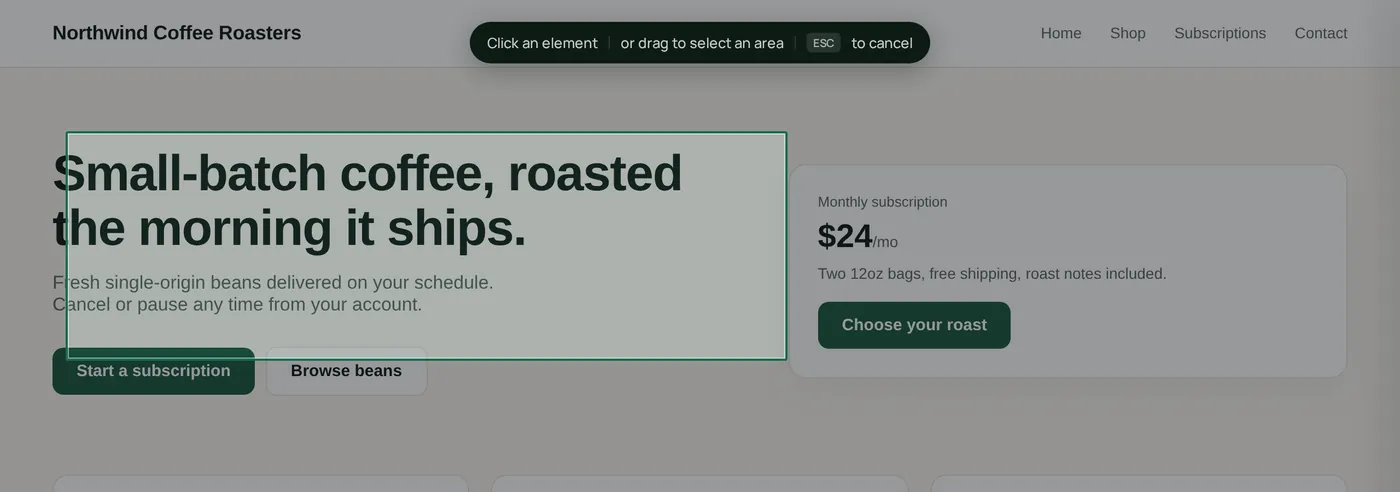
Switch between the states a reviewer actually moves through. This is the real widget interface, not a rendering of it.
The ClickCues feedback launcher running on a live site
The Problem
Review tools that never make it onto the site
The Old Way
- Reviewers are asked to install an extension before they can say anything
- The feedback tool loads on every page, including ones nobody is reviewing
- Nothing stops feedback arriving weeks after the round closed
- Adding the tool means a build change and a deploy for a two-week review
The ClickCues Way
- One script tag in your shared template or site-wide code area
- Page targeting rules decide which paths load the widget
- Allowed origins restrict which sites can submit to the project
- A per-project toggle, a deadline, and a pause switch end the round cleanly
Installation
Where the snippet goes and what it does
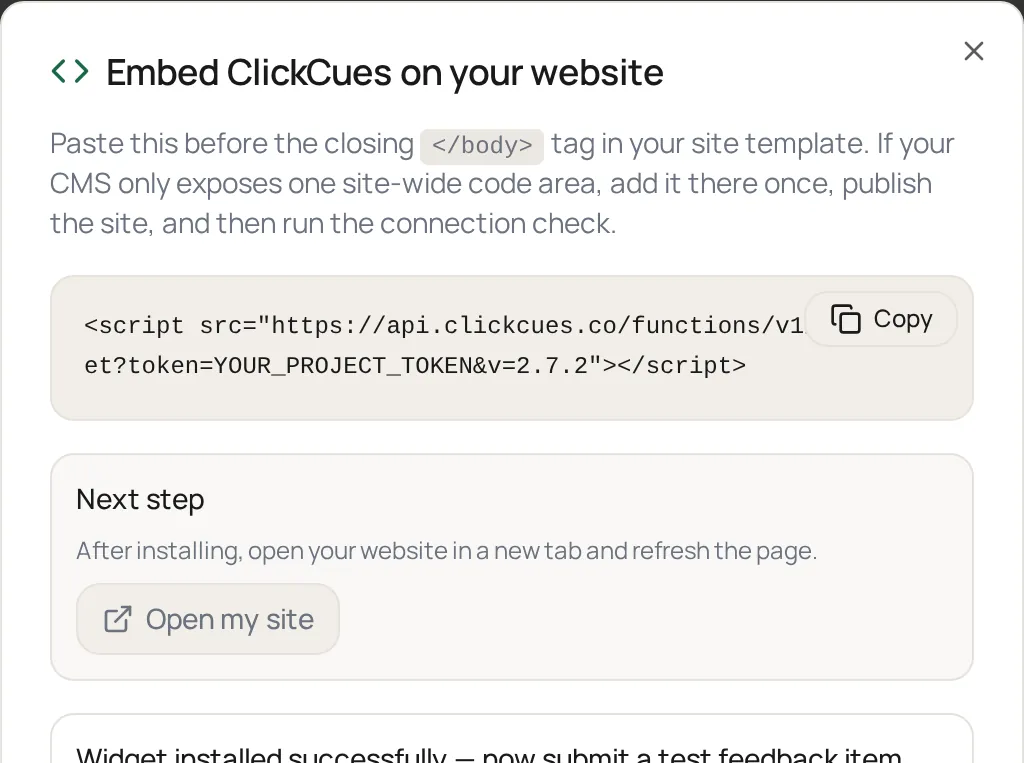
Each project generates its own snippet. Paste it once into the shared template or the site-wide custom code area, ideally just before the closing </body> tag, then publish the page and run the connection check from your project settings.
- Async by default
- The widget loads after paint and does not block rendering of the page it sits on.
- Project scoped
- The snippet belongs to one project, so feedback from that site lands on that project's board.
- Any stack you can edit
- If you can add a script tag to a shared template or a site-wide code area, the widget can run there.
- Position control
- Place the launcher bottom-right, bottom-left, or centered depending on what the page already uses.
- Connection check
- The project settings page tells you whether the widget is loading and reporting back from the published site.
- Reversible
- Turn the widget off from project settings without touching the site code again.
Control
Deciding where the widget is allowed to run
A review widget that loads everywhere becomes a support problem. ClickCues keeps three controls in project settings: path targeting rules for which URLs show the launcher, an allowed-origins list for which sites may submit, and a project-level on/off toggle. Add a feedback deadline or pause feedback when the round ends and the widget stops accepting new submissions.
Real screenshots
Installed and running on a real page
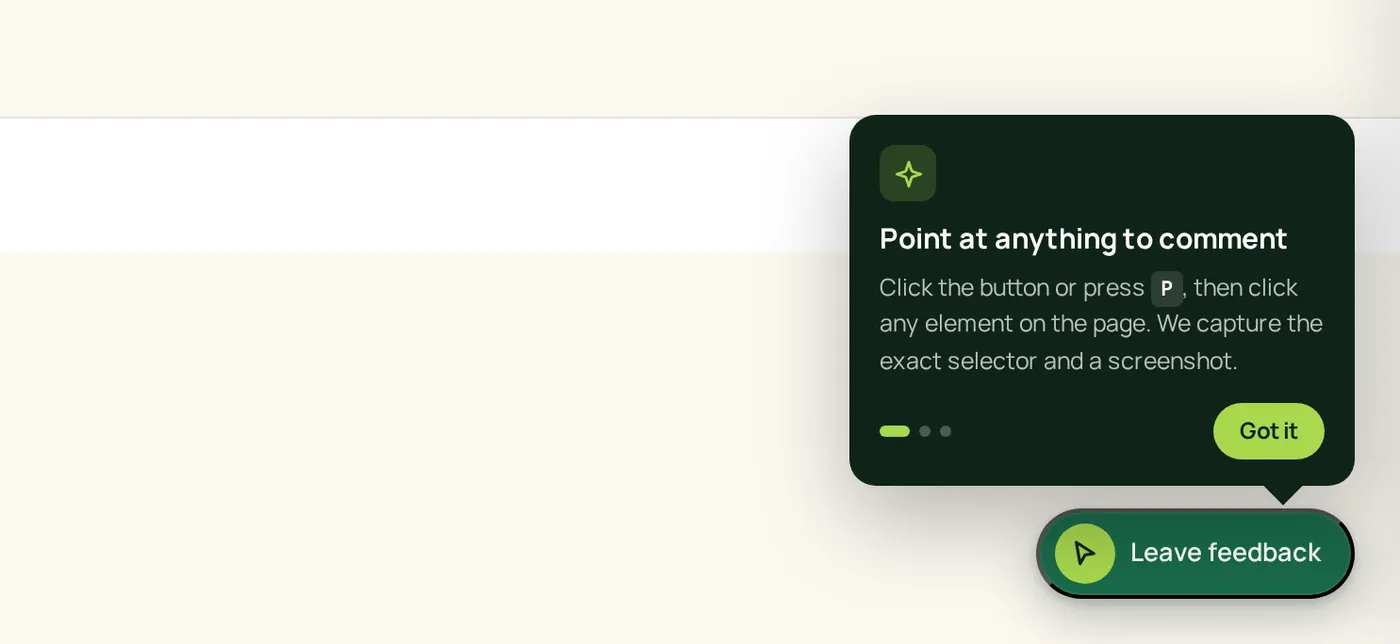
The widget below is the production ClickCues script running on a demo site, plus the install dialog it is copied from.
How it works
Installing the feedback widget
Snippet, publish, verify. Most installs are done before the kickoff call ends.
Copy the project snippet
Each ClickCues project shows its own script tag in settings. Copy it as-is, it already carries the project reference.
Paste it into your site
Add it to the shared template or site-wide code area, just before the closing body tag, then publish. Most CMS and site builders have a custom-code field for exactly this.
Scope where it loads
Set path targeting rules if the widget should only appear on certain routes, and add the origins that are allowed to submit to this project.
Verify and share the URL
Run the connection check to confirm the widget is live, then send reviewers the page link. They open it, click the launcher, and submit without an account.
Features
What the widget does on the page
A discreet button that reviewers understand immediately
The launcher sits in the corner of the page. Opening it starts the feedback flow without navigating away from the page under review.
Load it on the pages under review, and nowhere else
Inclusion and exclusion rules based on the URL path control where the widget appears, so a checkout flow or an admin area stays untouched.
Only your sites can submit to your project
The allowed-origins list defines which sites may post feedback to a project, so a copied snippet on an unrelated domain does not fill your board.
Close the round without removing the code
Set a feedback deadline or pause feedback on the project and the widget stops accepting submissions, while everything already collected stays on the board.
At a glance
Widget facts worth knowing
Why ClickCues
See how we compare
| Feature | ClickCues | BugHerd | Marker.io |
|---|---|---|---|
| Installs with one script tag | |||
| Reviewers submit without an account | |||
| No browser extension for reviewers | |||
| Per-path targeting rules | |||
| Allowed-origin restrictions | |||
| Pause or deadline the round |
The differences that matter for an installed widget are reviewer friction and control over where it runs. ClickCues asks nothing of the reviewer and gives the project owner path, origin, and round-level switches from settings.
Who installs the widget
Teams that own the page under review
Keep exploring
After the widget is installed
- Client feedback link
The no-install path for reviewers when a script tag is not an option.
- Website annotation tool
What reviewers do once the widget is on the page.
- Feedback board
Where widget submissions land and get triaged.
- Setup guide
Snippet placement, verification, and troubleshooting.
- How ClickCues works
The whole workflow, from install to resolved item.
FAQ
Questions about installing the widget
Last updated: August 2026
Put feedback on the page, not in an inbox.
Start your 7-day free trial, paste one snippet, and take your first reviewer submission today.