Campaign page review without CMS seats.
Legal, brand, and exec all need to see the page before it goes live. Let them comment on the staging URL itself, then work the round on one board so the launch date survives the review.
- Pin on staging or password-protected URLs
- Reviewers comment on the page without CMS edit access
- Reviewers never need a CMS or site login
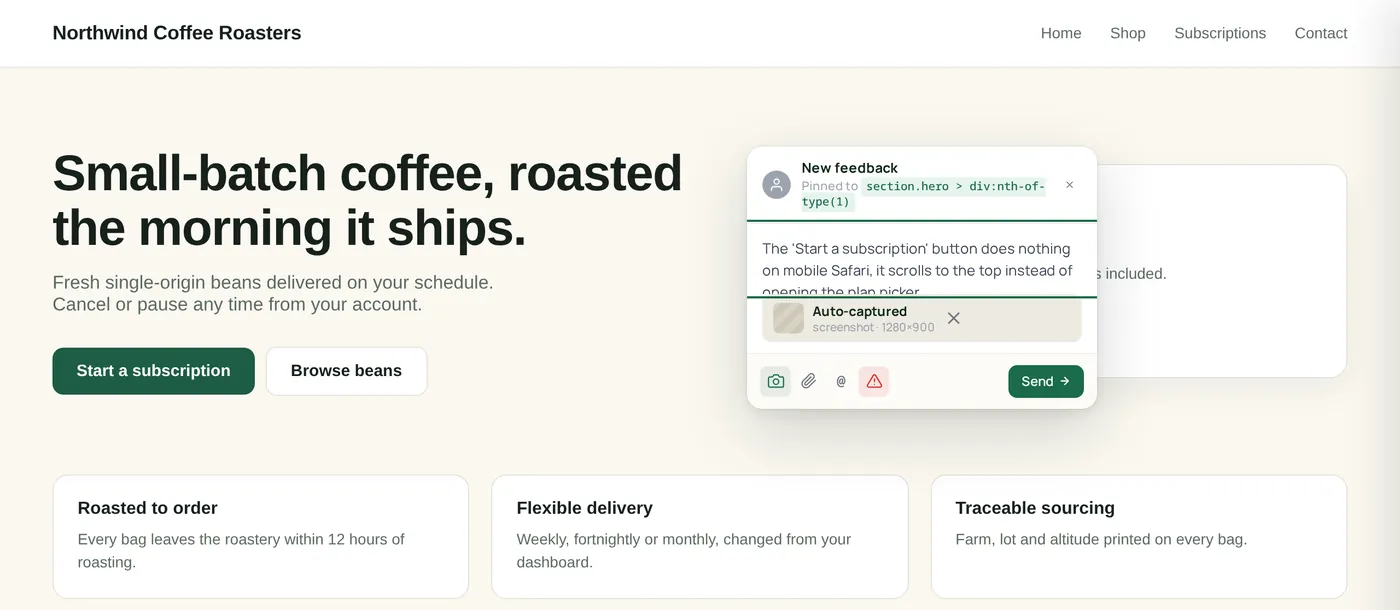
From brief to campaign live
The same loop you already run, brief, build, review, ship, with the review step happening on the page itself.
Brief lands as a project
Spin up a ClickCues project from your brief, invite the team, and set a feedback deadline for the review window.
Build on staging
Devs and designers ship the page. Page targeting rules decide which URLs load the widget, so you choose exactly where review happens.
Stakeholders pin in-page
Legal, brand, and exec click the page and leave a comment on the exact element. No CMS seat needed.
Resolve and ship
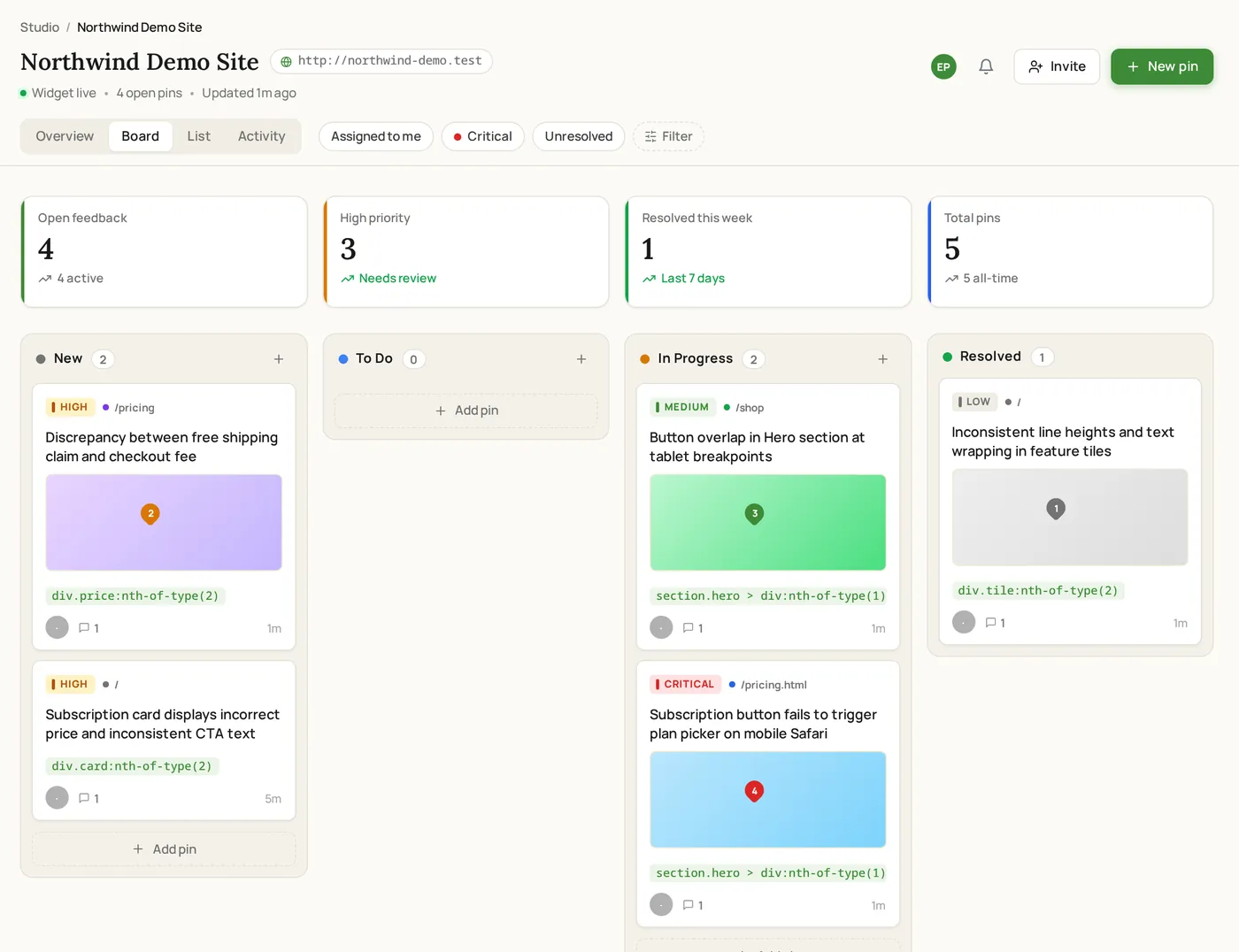
Work the board by status and priority, resolve each item, and keep the full history on the item.
What marketing pages get wrong
Why marketing teams pick ClickCues
Staging-aware
Works on password-protected staging. Page targeting and allowed origins control where the widget loads and which sites can submit.
No account for reviewers
Legal, brand, and exec can comment on the page without signing up. Workspace seats are only for the team doing the work.
One board for the round
Every pin lands on a shared board with status, assignee, and comment thread, so nothing gets lost between reviewers.
Review windows
Set a feedback deadline on the project so reviewers know when the round closes and late submissions are blocked.
Most marketing teams start on Agency.
Why it fits
15 team members, 50 GB storage, unlimited projects, and email support.
Where ClickCues fits
The parts of ClickCues this workflow leans on
See how the other teams ship.
Need cleaner task summaries too? See AI Feedback Intelligence
Stop decoding vague feedback. Start shipping.
Drop one script tag. Invite your team. Get your first pinned comment in under five minutes.