From paste to pinned with a clean review flow.
One line of code, no client logins, and a real inbox for the comments. Here’s the entire ClickCues loop, end to end. Built to be set up by one person with a shared site template and a quick verification pass.
- 01Install
- 02Invite
- 03Pin
- 04Triage
- 05Ship
Five steps, start to shipped.
From the first paste of a script tag to the final round of feedback. Here’s what each phase of ClickCues actually looks like.
Install one lightweight script.
Add the ClickCues script once anywhere your site allows custom JavaScript. It connects feedback to a single project so clients can pin comments directly on the live page.
- One project-specific JavaScript snippet
- Works on most websites that allow custom scripts
- Add it through your CMS, tag manager, or shared site template
- No native plugin or framework package required
- Publish the site, then run the connection check
<script src="https://api.clickcues.co/functions/v1/get-widget?token=YOUR_PROJECT_TOKEN&v=2.9.2"></script>Invite review. No logins.
Share the staging link, or just keep it on production. Clients click the widget bubble in the corner and start pinning. No account creation, no email magic link, no friction.
- Clients can leave feedback without creating an account
- Use it on the live page your client is actually reviewing
- Keep feedback in one project instead of across email and chat threads
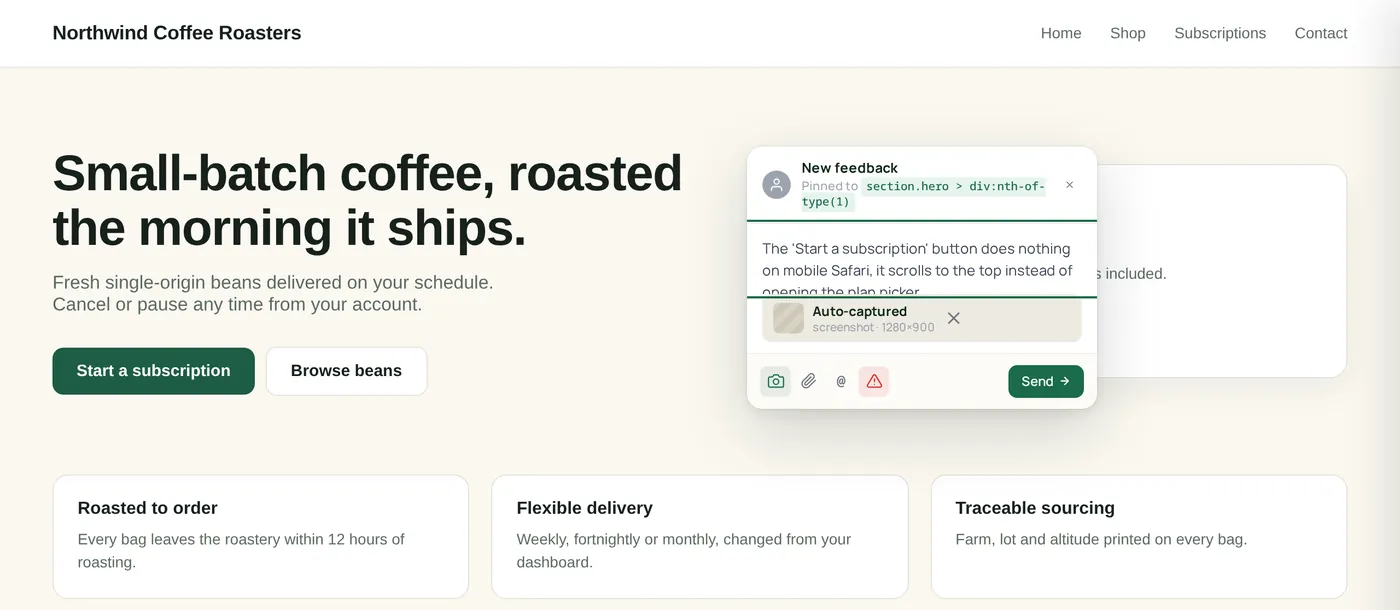
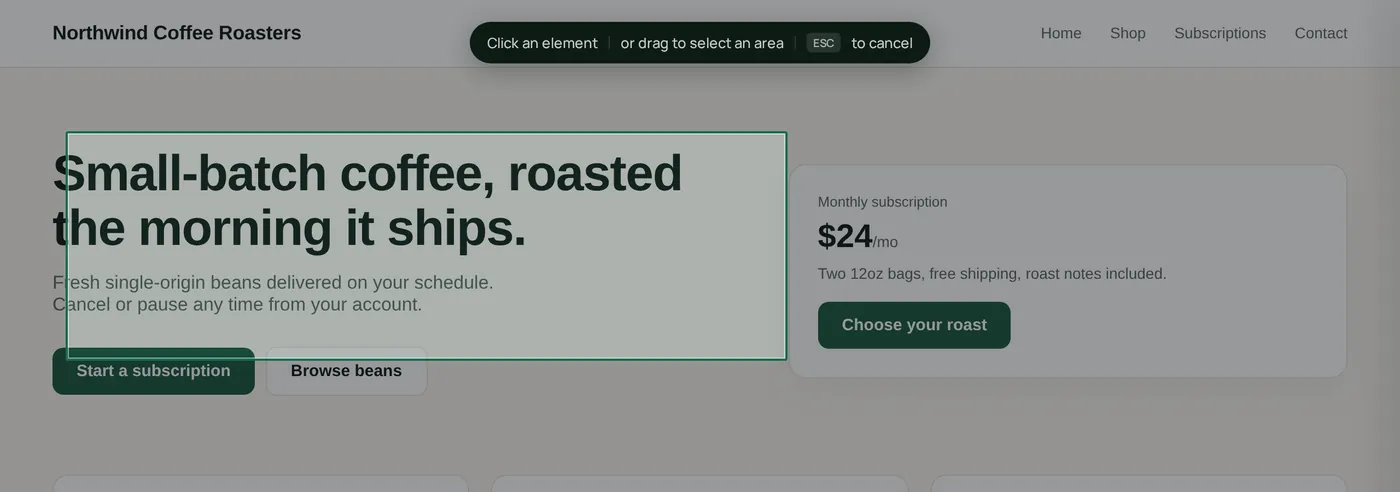
Click anything. Pin everything.
Reviewers click the widget, then click the element they want to talk about: copy, an image, a button, a whole section. The pin lands on the exact pixel, and a comment composer opens right next to it.
- Stores selector and position context when available
- Screenshots and page context are attached automatically
- Clearer feedback means fewer follow-up questions before you can act
Triage in your inbox.
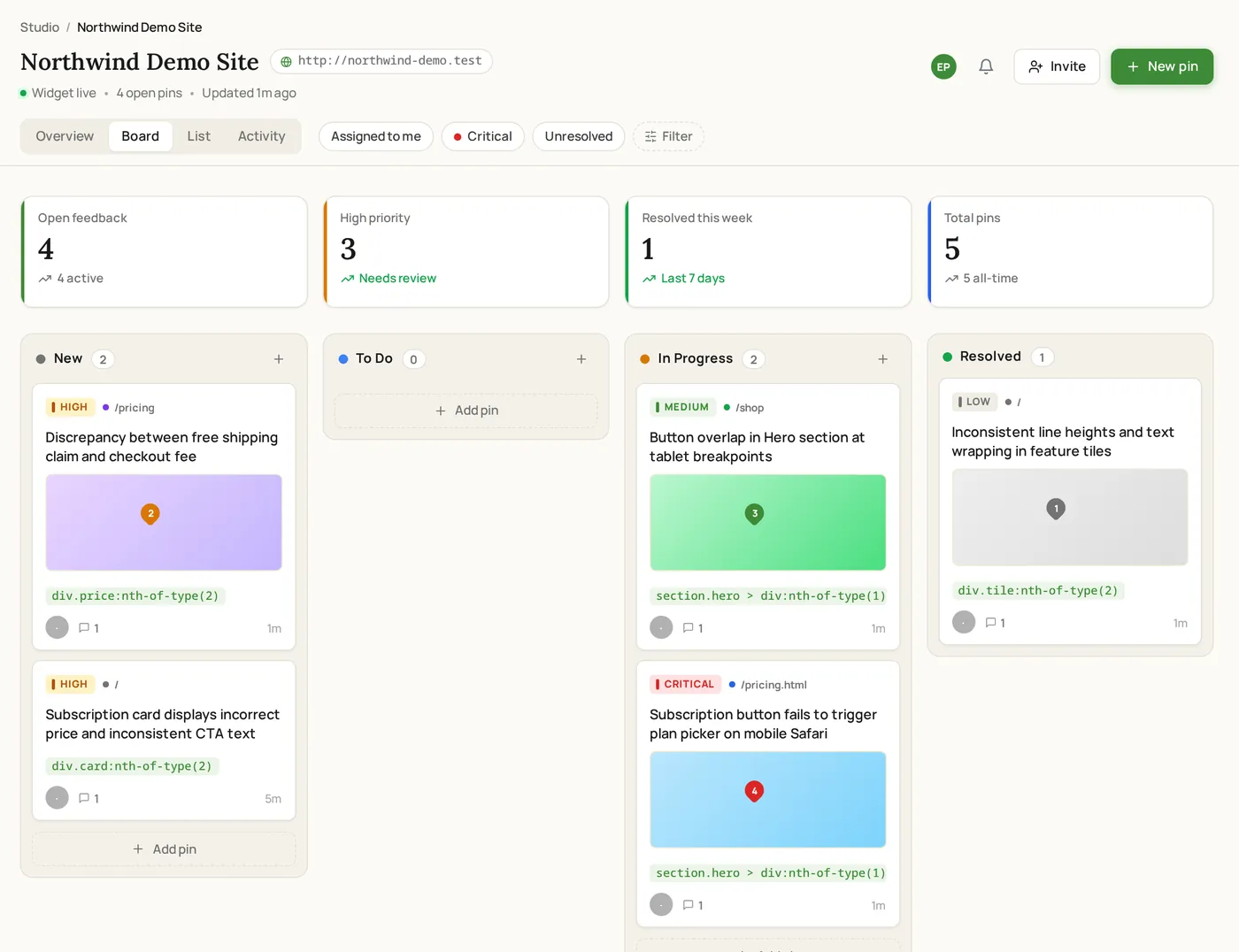
Every pin lands as a task. Organize feedback in a board or list view, assign teammates, set priority, and keep work moving without losing context.
- Kanban and list views for active feedback
- Assign, prioritize, comment, and resolve in one place
- Clients stay out of endless email threads while your team works
Resolve, review, ship.
Mark feedback resolved as you work, keep everyone looking at the same source of truth, and move the project forward with less confusion and fewer revision loops.
- Track what is still open and what is already handled
- Close the loop with clients on the page they already know
- Keep momentum instead of restarting the same conversations
One click, six pieces of context.
Every pin is more than a comment. It’s a reproducible report with everything you need to fix it on the first try.
“Can we make this headline bigger? Feels buried under the nav. Try +20%.”
- ScreenshotViewport screenshot attached automatically so your team can see what the reviewer was looking at.
- DOM selectorSelector and click-position context, when available, to help your team identify what was clicked.
- URL + routeThe page URL and route context so you know where the feedback came from.
- Browser + OSReadable browser and operating system context when the report is submitted.
- Viewport + DPRViewport details that help your team understand the screen size and layout being reviewed.
- Recent browser contextUseful technical context can be attached when available, without asking the client to explain it manually.
Quiet by design.
We obsess over the things you only notice when they’re broken: performance, security, compatibility. Here’s the receipts.
Designed to load lightly
The widget is designed to load asynchronously so it does not compete with the main page experience.
Project-specific script
Each install is tied to a specific project so incoming feedback lands in the right workspace.
Page controls
Project owners can control where the widget appears, so feedback only shows up where it is meant to.
Screenshot context
Screenshots and related context are stored with the feedback so teams can review issues faster.
Modern site friendly
ClickCues works on many modern websites when the script is installed correctly.
Simple setup
There is no special plugin or package requirement today, just the project script and a place to paste it.
The boring questions, answered.
ClickCues is designed to load asynchronously and stay lightweight on the page. As with any third-party script, you should still test it on your own site setup.
Ready to ship without the email thread?
Add ClickCues to a supported site, verify the connection, and start collecting clearer feedback without another email thread.