Client revisions without the guesswork.
You are the designer, the developer, and the project manager. ClickCues turns midnight emails into pinned comments on the exact element, so a revision round is a short list instead of a decoding exercise.
- Every comment includes screenshot, URL, browser, viewport
- Pins sync to your task list, nothing falls through the cracks
- Clients don't need an account. One link and a low-friction review flow.
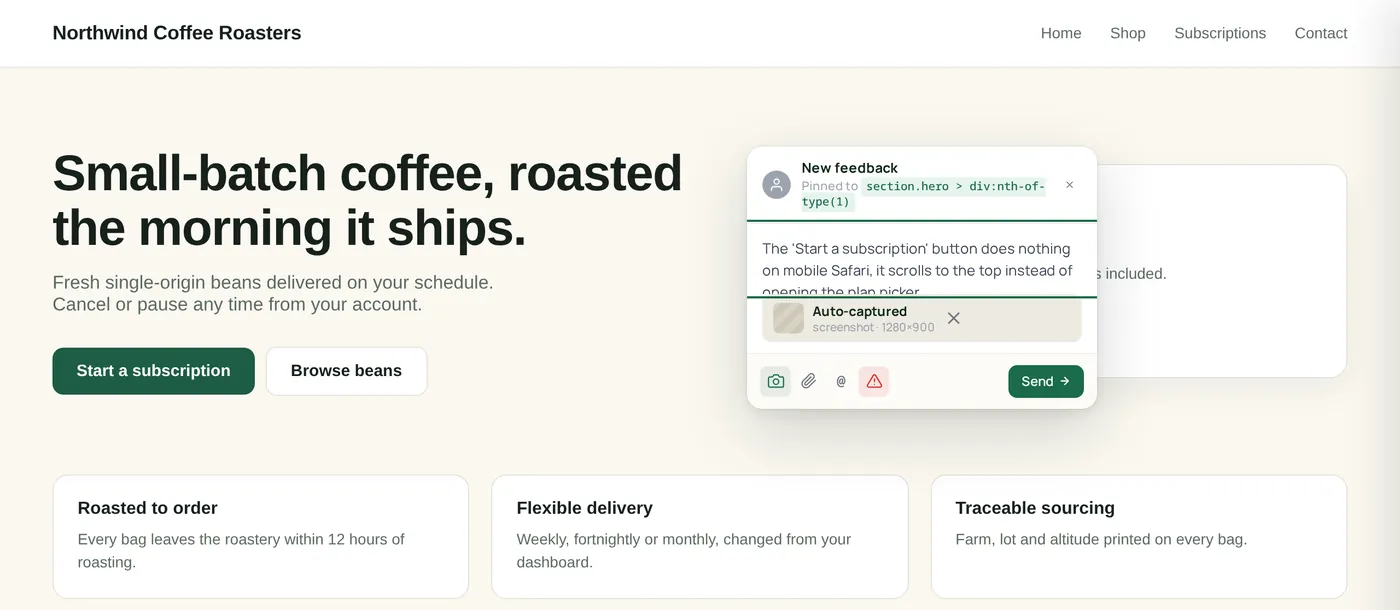
How a freelance project flows
Built for solo operators. No team workspace, no per-seat pricing, no enterprise creep. Just you and a clear inbox.
Send the staging link
Drop one line of code on the site. Client clicks the link, sees the widget. That's the entire onboarding.
Client pins, you don't guess
Every pin lands as a task, with a screenshot of exactly what they saw. No follow-up DM needed.
Resolve as you go
Mark pins resolved while you work. Client sees the progress bar climb. They stop asking "any updates?"
Invoice the round, not the deal
Use the resolved-item history as a record of what was asked for, so a second round is an easy conversation.
Solo problems, solo solutions
Why freelancers love the $23 plan
Fast setup
Install the project-specific snippet once in your shared template or site-wide code area, then publish and verify.
Your task list, automatic
Each pin is a task with a screenshot, viewport, browser, and URL. Drag to triage, click to resolve.
Screenshot + context when supported
When the page supports capture, the report arrives with the page context your team needs to understand what happened.
Solo pricing, no seats
$23/mo billed annually. Built for one person doing the work, with billing managed from Settings.
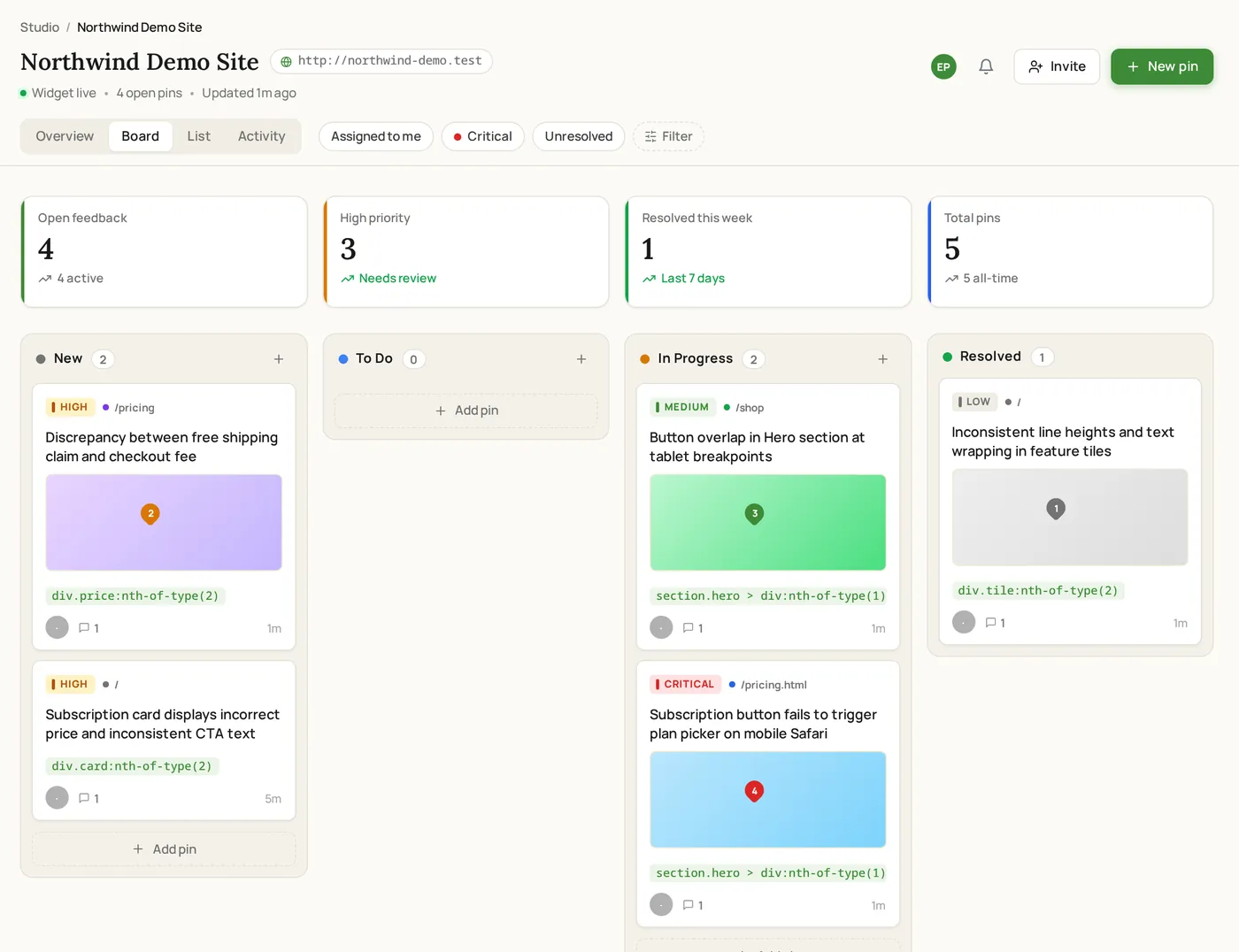
Most freelancers start on Freelancer.
Why it fits
5 team members, 10 GB storage, unlimited comments, screenshot capture when supported, and email support.
Where ClickCues fits
The parts of ClickCues this workflow leans on
See how the other teams ship.
Need cleaner task summaries too? See AI Feedback Intelligence
Stop decoding vague feedback. Start shipping.
Drop one script tag. Invite your team. Get your first pinned comment in under five minutes.