Website annotation tool: mark the exact spot
Click the element you are talking about and type. ClickCues anchors the annotation to that element, so "the button near the top" stops being a location description and becomes a marked point on the page.
A website annotation tool lets someone mark a specific place on a live web page and attach a comment to that exact spot. ClickCues records the clicked element, its position, the page URL, and the reviewer's viewport with the annotation, so the marked location survives after the reviewer closes the tab.
Free 7-day trial · Card only at checkout · Manage from Settings
Clear feedback. Fewer revisions. Faster launches.
Used by freelancers, agencies, and marketing teams
Try the widget
The reviewer side, state by state
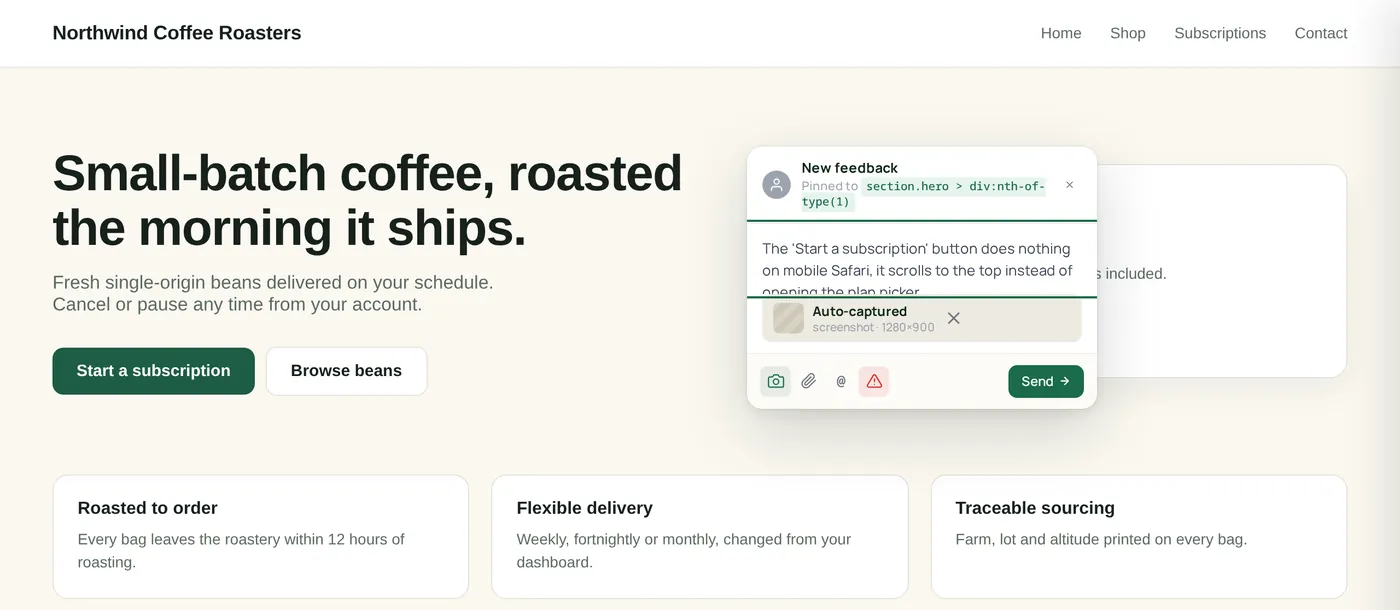
Switch between the states a reviewer actually moves through. This is the real widget interface, not a rendering of it.
An annotation anchored to a specific element on a live web page
The Problem
Location descriptions do not survive the handoff
The Old Way
- "Third card from the left, on the section below the hero"
- Annotated screenshots pasted into a doc, disconnected from the live page
- Two reviewers describing the same element in two different ways
- Nobody can tell whether a note refers to the heading or the paragraph under it
The ClickCues Way
- The annotation is attached to the element the reviewer clicked
- The page URL and the element reference are stored with the note
- Every reviewer marks the same element the same way, by clicking it
- The marked point is still there when the team opens the item later
The mechanism
What ClickCues stores when you annotate a page
An annotation is more than a comment with a coordinate. ClickCues keeps enough of the surrounding page state that the mark can be understood without the reviewer present.
- The clicked element
- The element under the cursor is recorded with the note, so the mark refers to a thing on the page rather than a pixel guess.
- Position on the page
- Where the mark sits is stored alongside the element, so the annotation can be shown back in the right place.
- The page it was left on
- The full URL, including the route the reviewer was on, travels with the annotation.
- The reviewer's viewport
- Browser, OS, and viewport are recorded, which matters when a layout only misbehaves at one screen size.
- A visual reference
- When the page supports capture, a screenshot of the marked view is stored with the annotation.
- The conversation
- Replies stay attached to the annotation itself, so the discussion never drifts away from the marked element.
Scope
Where annotation works, and where it needs help
Annotation runs on pages where ClickCues can be loaded, which means a site you can add a script tag to, or a page shared through a ClickCues feedback link. Screenshot capture depends on what the page allows, so some annotations arrive with page context and no image. We say when supported rather than promising every page behaves the same.
Real screenshots
From pinned element to tracked item
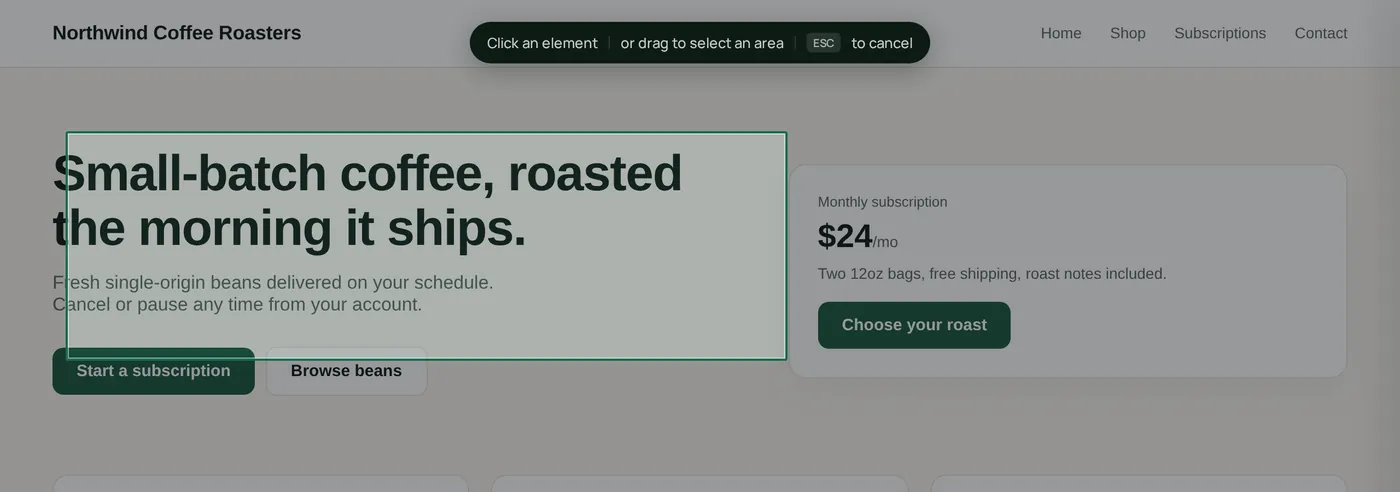
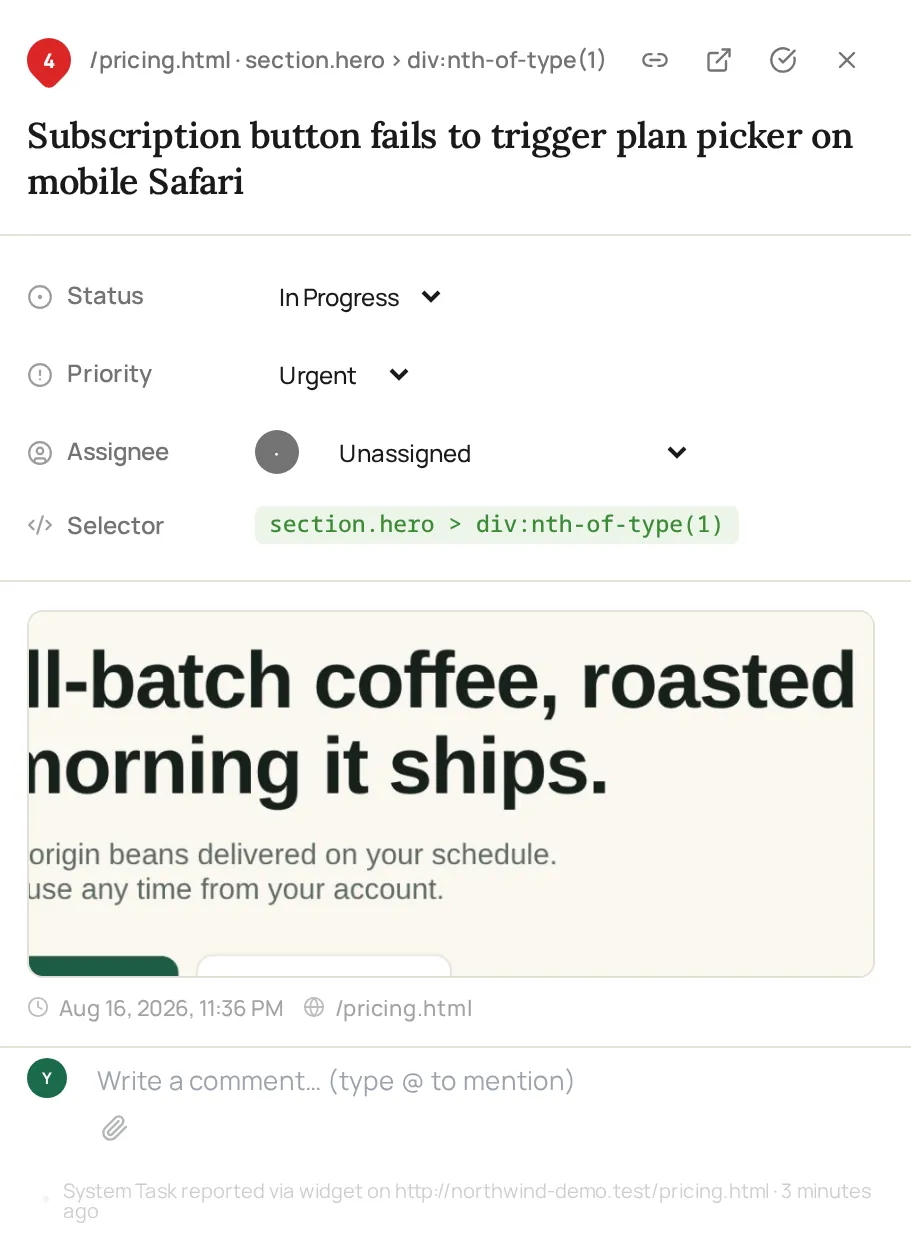
A reviewer selects the element, and ClickCues stores the CSS selector, screenshot and page URL on the resulting task.
How it works
How to annotate a website with ClickCues
Three actions for the reviewer: open, click, type. Everything after that is recorded for you.
Open the page with ClickCues available
The reviewer opens the page in a normal browser. No extension, no plugin, and no account for the person leaving the annotation.
Click the element you want to mark
Clicking sets the anchor. The annotation is attached to that element instead of to a general area, which is the difference between a mark and a description.
Write the note and send
The comment is submitted with the element reference, page URL, browser, and viewport attached, plus a screenshot when the page supports capture.
Open the mark from the item
Your team opens the item and sees which element was marked and what page it lives on, so the annotation can be acted on without a follow-up question.
Features
Annotation details that decide whether a mark is useful
Marks that point at a thing, not an area
The annotation is bound to the element the reviewer clicked, so it survives being read by someone who was not in the review session.
Multiple marks on one page, each with its own thread
A page can carry several annotations at once. Each one keeps its own comment thread, status, and owner rather than collapsing into a single list of notes.
A mark made at 390px is understood as a 390px mark
Viewport and browser are stored with the annotation, so responsive issues are readable as responsive issues instead of arguments about whether the problem is real.
Send one annotation to someone outside the workspace
An individual item can be shared as a link, so a contractor or stakeholder can see the marked element and its context without joining the project.
At a glance
What an annotation records
Who marks up pages
Roles that need to point rather than describe
Keep exploring
Related to page annotation
- Website feedback widget
How the annotation layer gets onto your site in the first place.
- Screenshot capture
The visual record stored alongside a marked element.
- Visual feedback
Why in-context review beats written descriptions.
- Design review for designers
Marking up the built page during a design round.
- Setup guide
Install the script and verify the project connection.
FAQ
Questions about annotating web pages
Last updated: August 2026
Mark the page. Skip the description.
Start your 7-day free trial and let reviewers annotate the page instead of writing directions to it.