No accountFor reviewers1 clickPin anywhere3+ detailsAuto-captured
Faster website feedback.Clearer handoffs.
ClickCues is a website feedback tool for collecting visual, in-context comments directly on your site. Reviewers click the thing they mean, ClickCues records the page, browser, and viewport, and every comment lands on a board your team can work.
They pin feedback to the part of the page they want reviewed: copy, a button, an image. One click, no login. See how visual feedback and website annotation work.
1
03
You fix it and ship
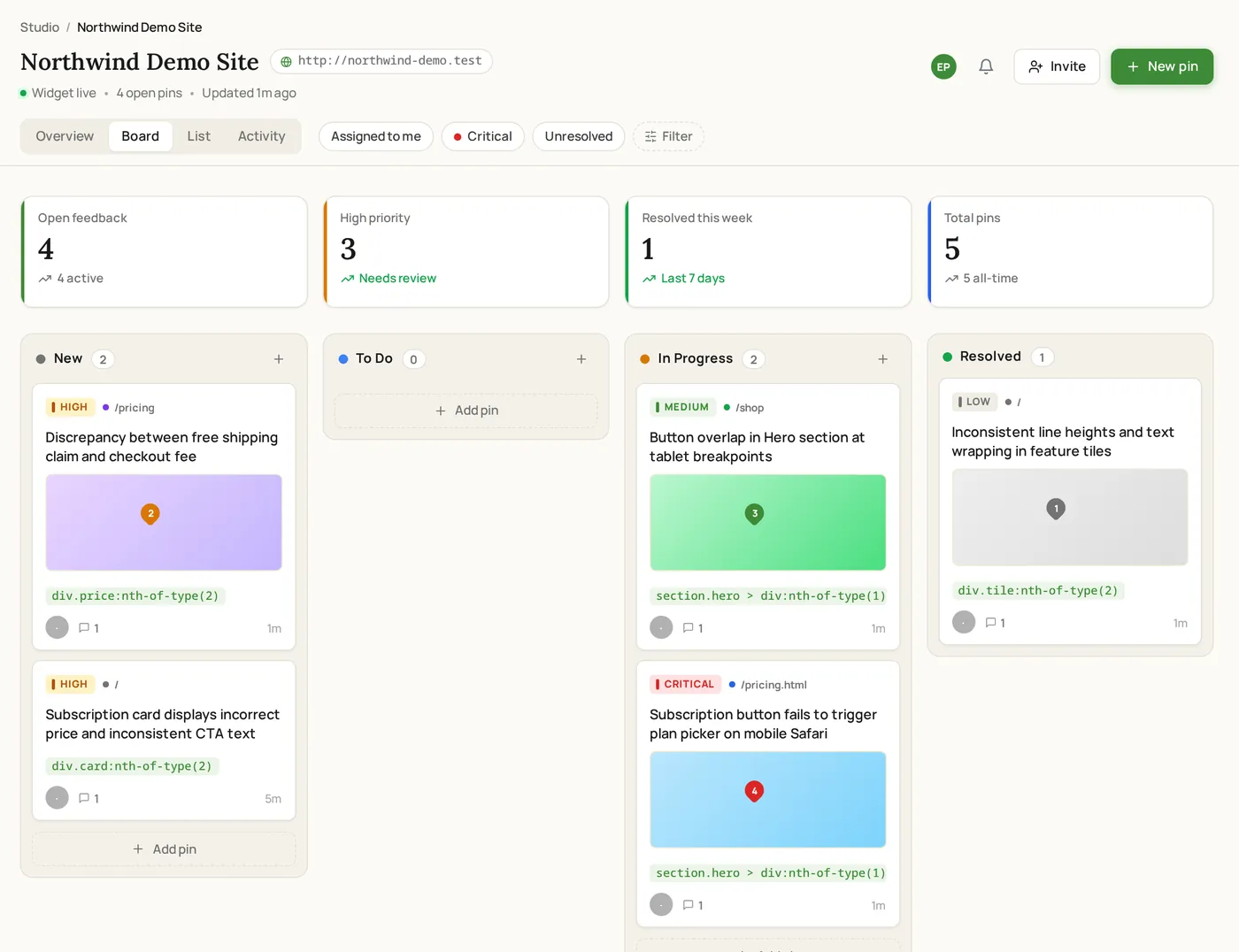
Every pin arrives as a task with full context. Assign, prioritize, and move it through New, To Do, In Progress, and Resolved on the feedback board. Ship faster.
Captured from a live ClickCues project on a demo website, from the reviewer's first click through to the triaged task your team works from.
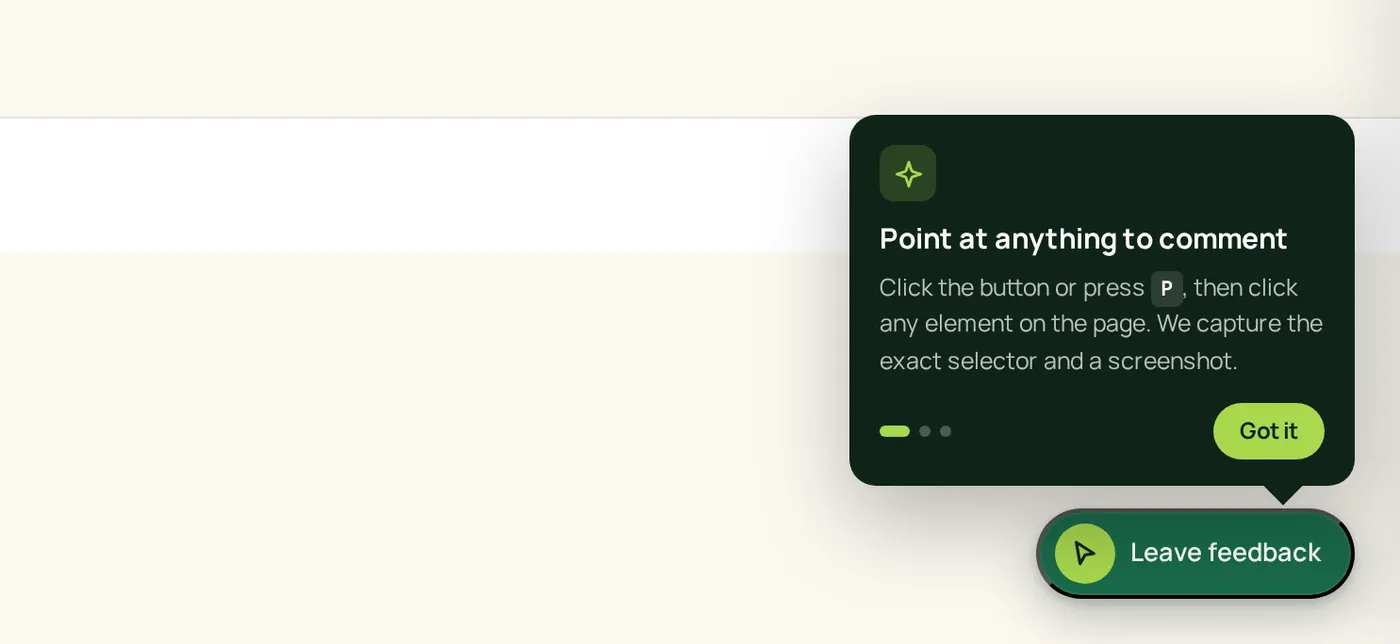
Step 1 · Reviewer opens the widget
The widget loads as a single launcher in the page corner. Reviewers click it, or press P, then click the element they want to comment on.
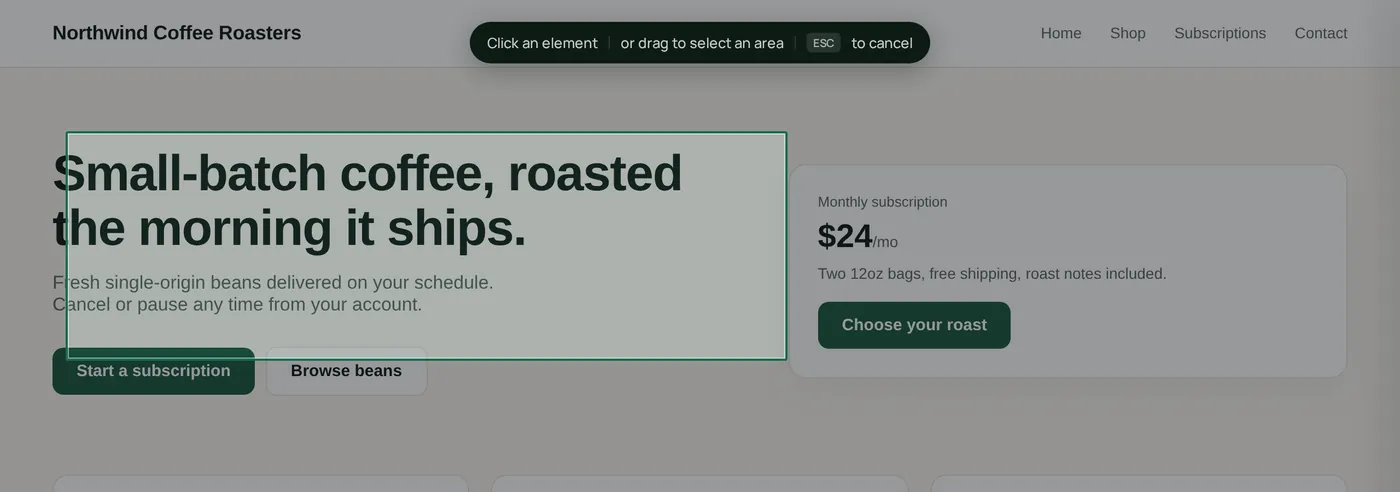
Step 2 · Reviewer selects the element
Selection mode dims the page so a reviewer can click one element or drag a region. ClickCues records the element it captured.
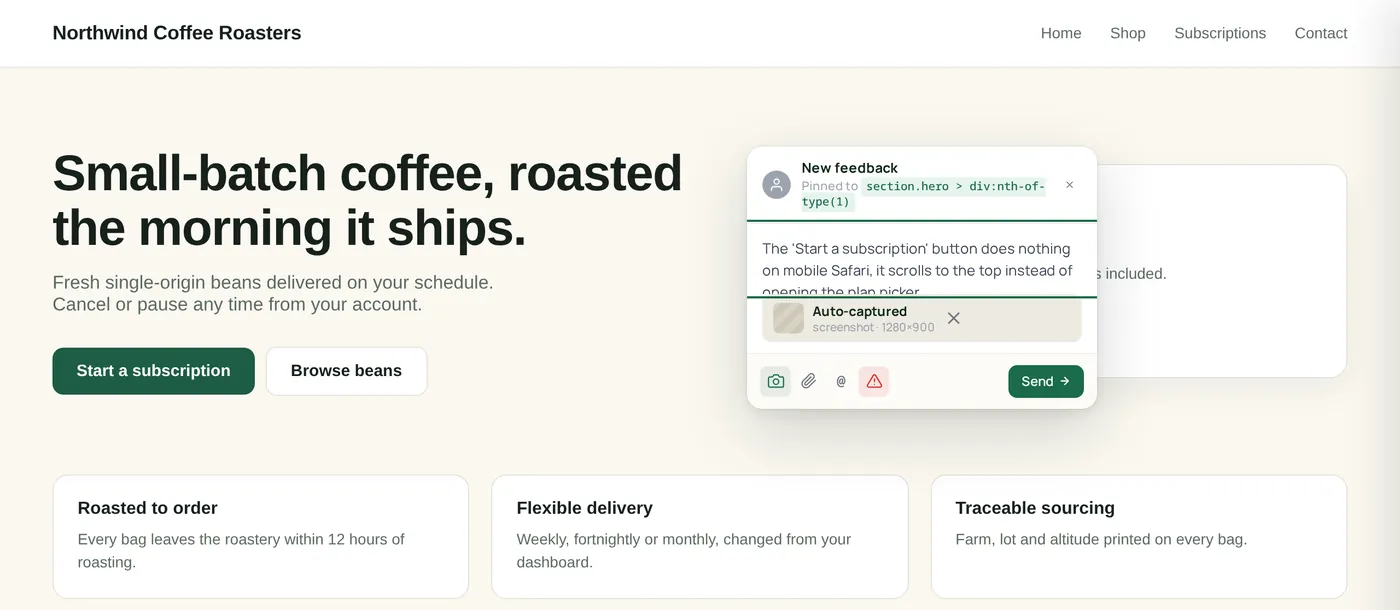
Step 3 · Comment with screenshot attached
The comment composer opens beside the pin with the captured screenshot already attached. No reviewer account is required.
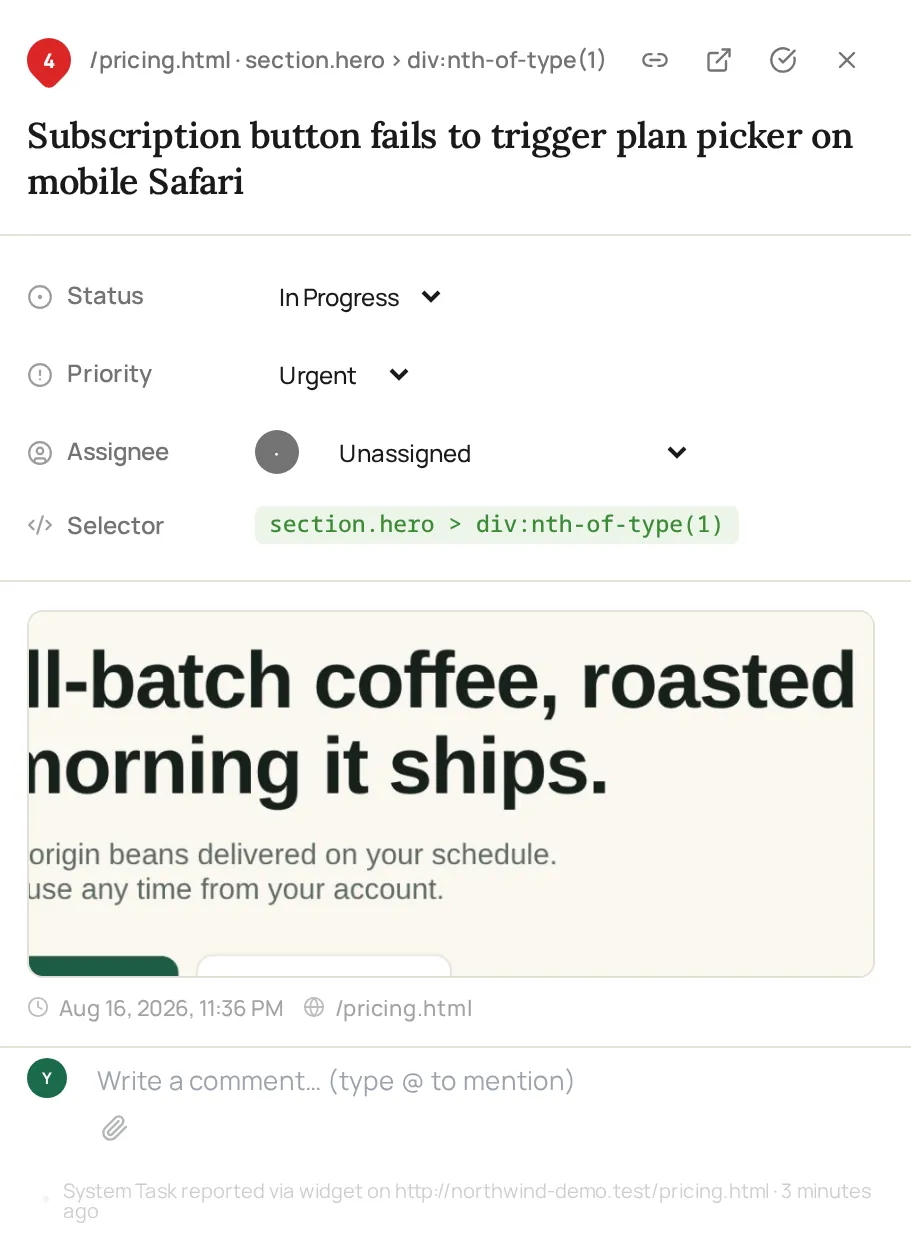
Step 4 · Summarized task in your board
Each item keeps the AI-written summary, priority, captured CSS selector, screenshot, page URL and the internal comment thread together.
The problem
Client feedback is broken. Here's how we fix it.
Feedback still shows up in email threads, chat messages, screenshots, and voice notes. The work slows down because teams have to decode the request before they can fix it.
Without ClickCuesScattered channels. Vague requests. Repeated clarification.
SMSarah M.11:47 PM
can we make the hero pop more? feels flat
actually nvm, show me 3 options??
Re: Re: Re: Re: Re: Website feedback
marketing@acme.co · 14 replies · 3 people CC'd
"Stakeholders can't agree on the CTA color. Could you mock 4 variants by EOD?"
4:23voice-memo-2.m4a
make it POP!!! also fix that thing on mobile (the button I think??)
Scatteredchannels to track
Vaguerequests to decode
Repeatedfollow-up questions
With ClickCuesOne pinned comment. Full context. One shared workflow.
acme.co/home
1
SM
Sarah M. · ClientPinned to .hero-h1 · 2 min ago
HIGH
"Can we make the H1 bigger? Feels buried under the nav, try +20%."
screenshotchrome 124macOS1440×900
One pintied to the page
Full contextattached in one workflow
One workflowfor review and fixes
clickcues.
In plain English
What is ClickCues? It’s website feedback without the chase.
ClickCues lets clients and teammates leave pinned feedback directly on a live or staging website. Each comment stays attached to the part of the page being discussed and includes the URL, viewport, and browser context your team needs to act on it, with screenshot capture available when supported. Learn how to install the widget and verify the setup before your first review round.
Every comment, in context
No more "what page were you on?"
Every pinned comment keeps the page and browser context your team needs to understand what the reviewer saw. Fewer follow‑up questions. Less back‑and‑forth.
Screenshot
Screenshot capture is available when the page supports it.
Clicked-element context
Element details help your team locate the area under review.
Page URL
Including query params and hash routes.
Browser context
Browser details are attached when available.
Viewport size
Width and height are captured automatically.
Device
Browser and device context when available.
Built for the way you work
Made for people who ship websites.
Run client review like a senior PM.
One project inbox per websiteKeep each client review tied to the page instead of scattered across inboxes and chat.
Track New through ResolvedSee what still needs attention and what has already been shipped.
No account required for clientsReviewers can leave feedback without creating seats inside your workspace.
Clients click directly on your website to leave feedback
Clients give feedback with no login required
Screenshot capture and page context when supported
Organize everything in a simple Kanban board
Install in minutes with one lightweight script
Manage your subscription from Settings
7-day free trial, no card. Card is charged at checkout and renews automatically until you cancel from Settings. See full plan comparison →
FAQ
Questions, answered.
No. They click the widget on your site and start leaving feedback. You get the comments; they don't get a login prompt. That's the whole point, zero friction for the people leaving the feedback.