A design feedback tool for the built page.
A mockup cannot show you how the layout behaves at 1440px or on a phone. Run the review in the browser, where every comment records the element, the page, and the viewport the reviewer was looking at.
- Reviewers point at the element instead of describing it
- Each comment records the page URL and the reviewer's viewport
- Screenshot capture when the page supports it
How a design review round runs
The review happens in the browser, on the page you designed, at the size the reviewer is actually looking at.
Share the built page
Add the widget snippet to the staging or live page and send the link. Reviewers don't create an account.
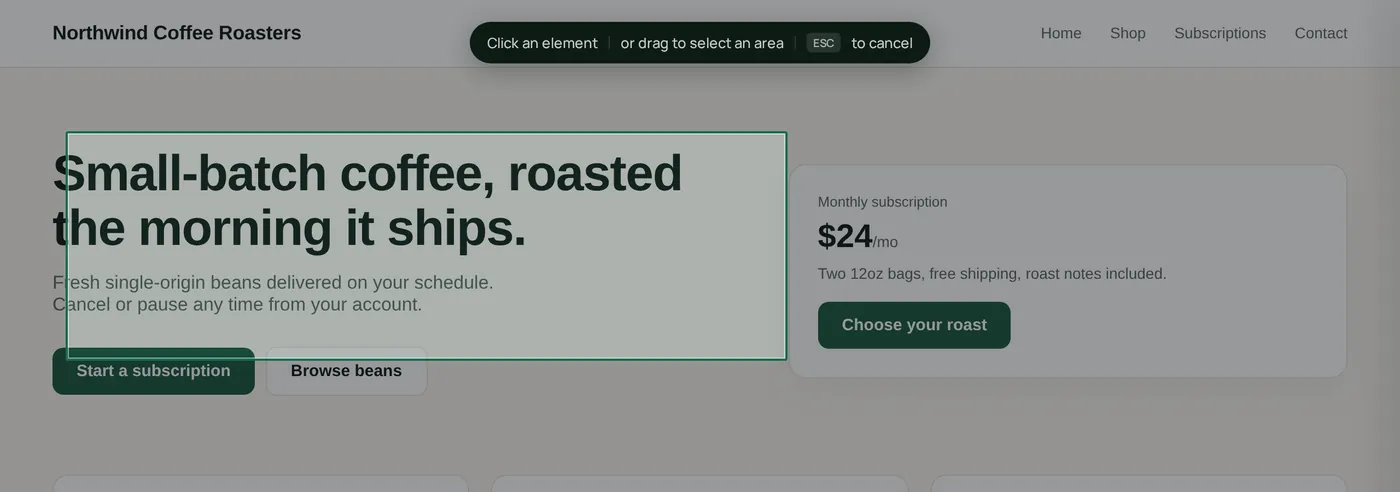
Reviewers click what they mean
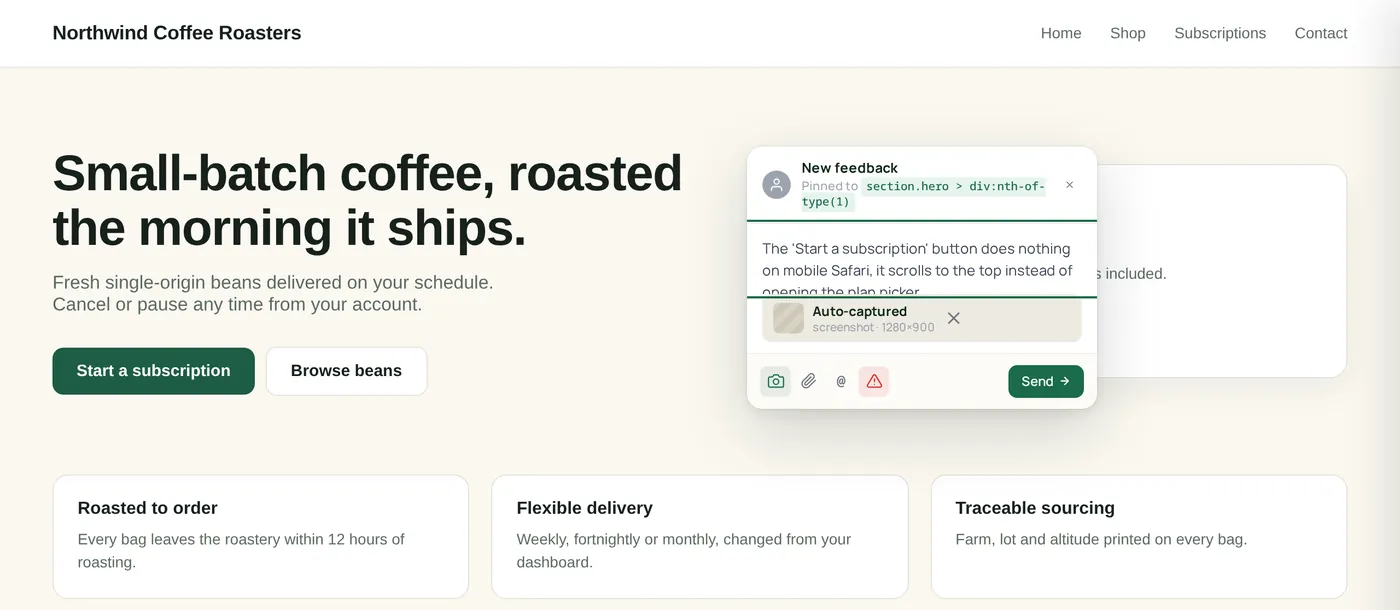
A comment on the hero headline is attached to the hero headline, with the page URL, viewport, and clicked element recorded.
Read feedback in context
Open a comment and you see the page it came from, the element it points to, and the screenshot when capture was supported.
Work the round
Set status and priority, reply in the thread, and resolve each item as the design change ships.
What makes design feedback hard
Made for visual review
Click-to-comment
Reviewers click the element they're talking about and the comment stays attached to it.
Viewport and page context
Each comment records the page URL, browser, OS, and viewport the reviewer was using.
Screenshot when supported
When the page supports capture, the comment arrives with a screenshot of the exact view the reviewer saw.
One board per project
Status, priority, assignee, and threaded replies keep a review round in one place instead of five inboxes.
Most designers start on Agency.
Why it fits
15 team members, 50 GB storage, unlimited projects, and email support.
Where ClickCues fits
The parts of ClickCues this workflow leans on
See how the other teams ship.
Need cleaner task summaries too? See AI Feedback Intelligence
Stop decoding vague feedback. Start shipping.
Drop one script tag. Invite your team. Get your first pinned comment in under five minutes.