The feedback board: what happens after submit
Collecting feedback is the easy half. This page is about the other half: deciding what matters, who owns it, what is still open, and when the round is genuinely finished.
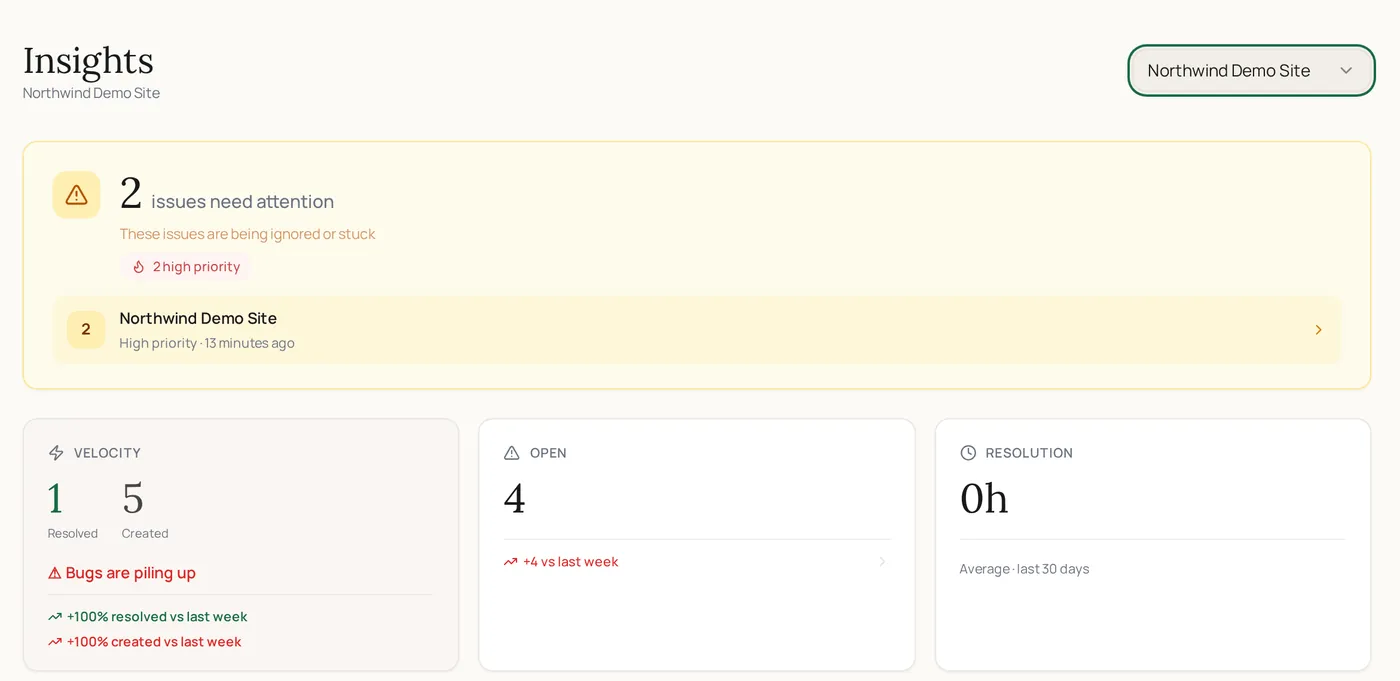
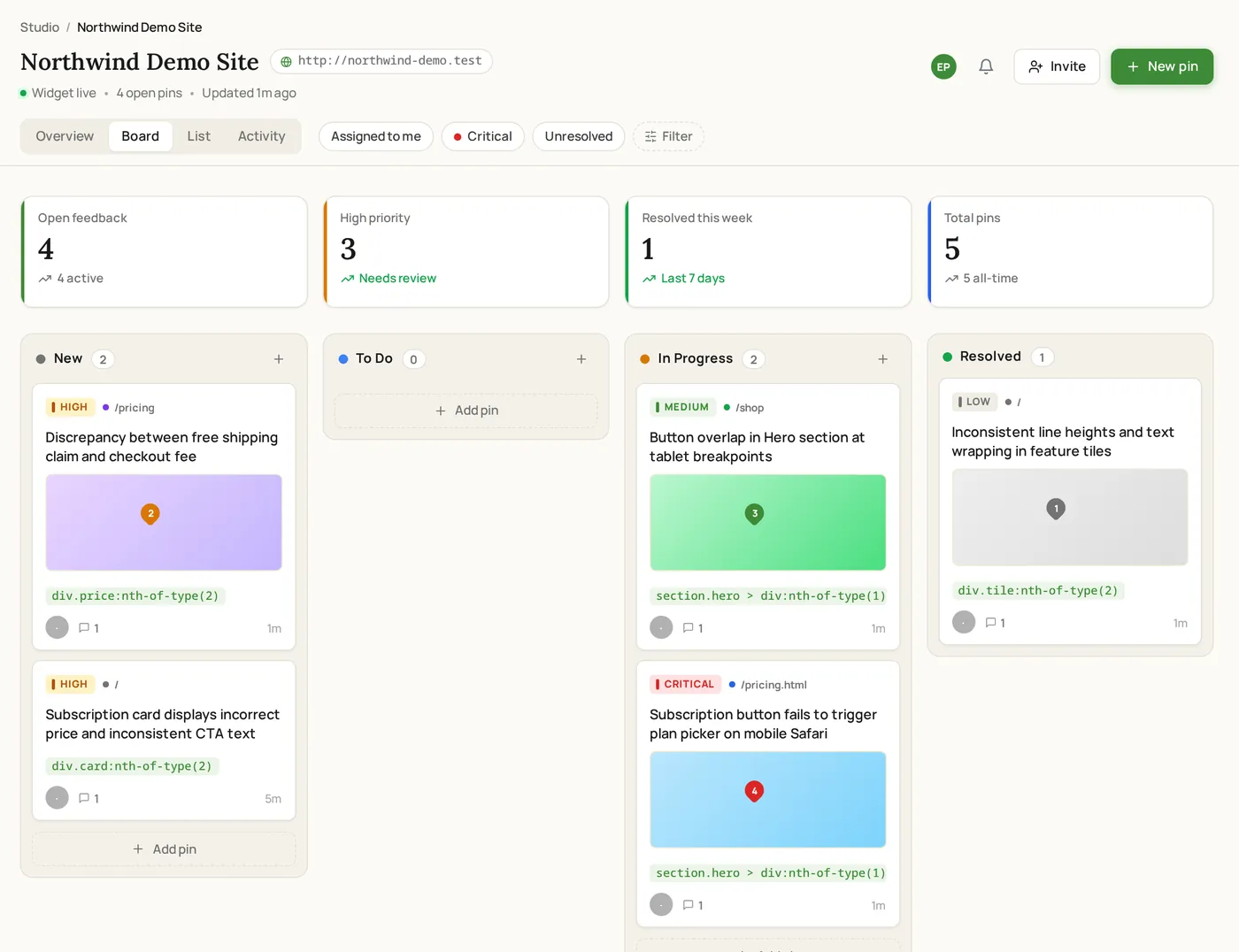
The ClickCues feedback board is where submitted feedback becomes tracked work. Each submission is an item with a status, priority, and assignee that can be filtered, reordered, resolved, and archived, so a review round has a visible end state instead of trailing off in an inbox.
Free 7-day trial · Card only at checkout · Manage from Settings
Clear feedback. Fewer revisions. Faster launches.
Used by freelancers, agencies, and marketing teams
Try the widget
The reviewer side, state by state
Switch between the states a reviewer actually moves through. This is the real widget interface, not a rendering of it.
A ClickCues board with feedback items grouped by status
The Problem
Feedback you collected but never closed
The Old Way
- Requests spread across email, chat, and a spreadsheet nobody updates
- No agreed answer to "what is still open on this project?"
- The urgent item and the nice-to-have look identical in a list
- Resolved work is deleted, so there is no record of what was asked for
The ClickCues Way
- One board per project holds every submission, whatever way it arrived
- Status columns make open work visible without asking anyone
- Priority and ownership separate the urgent from the eventual
- Resolved items move to a filterable archive rather than vanishing
Triage
Turning a pile of submissions into a plan
Triage is a sequence of small decisions. The board is built so each of them takes a click rather than a meeting.
- Status
- Move items through your columns so the state of the round is readable at a glance.
- Priority
- Mark what actually blocks the launch, and let the rest wait without being forgotten.
- Assignee
- Give every item an owner, so nothing sits in the ambiguous space between two people.
- Filters and views
- Filter by status, priority, or owner, and switch between board and list depending on how you are working.
- Duplicate detection
- Similar submissions are flagged as likely duplicates, so five reports of one problem do not become five tasks.
- Archive
- Resolved and dismissed items move to an archive you can still search, which is what makes a scope conversation possible later.
Focus
Working the board when everything is open
Focus mode filters the board down to unresolved high and critical items, which is the view you want on the last day of a round. Keyboard shortcuts cover the actions you repeat all day, and critical actions have a short undo window so a mis-drag does not cost you an item.
Real screenshots
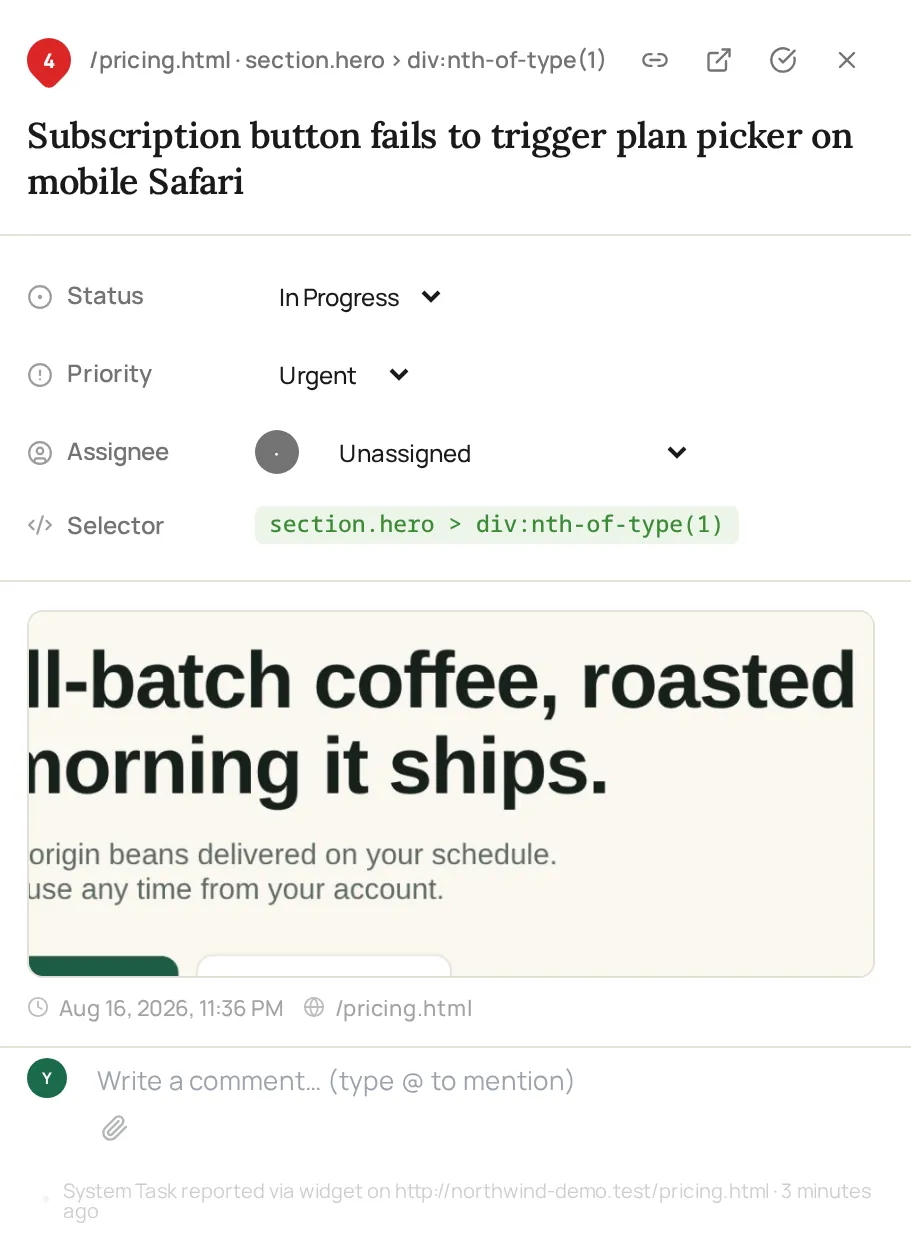
The board your team works from
Demo bug reports submitted through the widget, triaged on the ClickCues board with full context on each item.
How it works
From submission to resolved
This is the part of the workflow that starts after the reviewer has already sent their comment.
The item lands with its context
However the feedback arrived, widget or feedback link, it appears on the project board carrying the page, environment, and any capture that came with it.
Triage it
Set priority, pick an owner, and move it into the right column. Likely duplicates are flagged so you can merge the noise into one piece of work.
On the pricing page mobile view, the primary CTA overlaps the paragraph below.
Work it in the open
Discussion happens in the item thread, so the reasoning behind a change is attached to the change rather than living in someone's inbox.
Resolve and archive
Resolved items leave the active board and stay searchable in the archive, which gives the round a clear end and you a record of it.
Features
How the board keeps a round moving
Two views of the same round
Drag items across status columns when you are triaging, and switch to list when you want to scan everything that is still open.
On the pricing page mobile view, the primary CTA overlaps the paragraph below.
The blocker and the nitpick stop looking the same
Priority is set per item and shown on the card, so a launch-blocking problem is visible without opening anything.
Answer "what is left?" in one click
Filter by status, priority, or assignee to get the exact slice of the round you need, including the view of only what is unresolved and urgent.
Closed, not deleted
Resolved and dismissed items keep their comments and context in the archive, so what was asked for in round one is still readable in round three.
At a glance
What the board tracks
Who lives on the board
Teams that have to finish rounds, not just collect them
Keep exploring
Before and after the board
- Team collaboration
How people work together around the items on the board.
- AI feedback intelligence
Cleaning up messy submissions before they reach triage.
- Website feedback widget
How feedback gets onto the board in the first place.
- Client feedback link
The no-install path for reviewers who cannot use the widget.
- How ClickCues works
The full workflow, from setup to resolved revision.
FAQ
Questions about managing feedback
Last updated: August 2026
Collecting feedback is easy. Closing it is the job.
Start your 7-day free trial and give this round a board with a visible finish line.