One record, every person who touches it
The board decides how work is organised. This is about who is in the conversation: who can change what, who gets told, and where the handoff between designer, developer, and project manager actually happens.
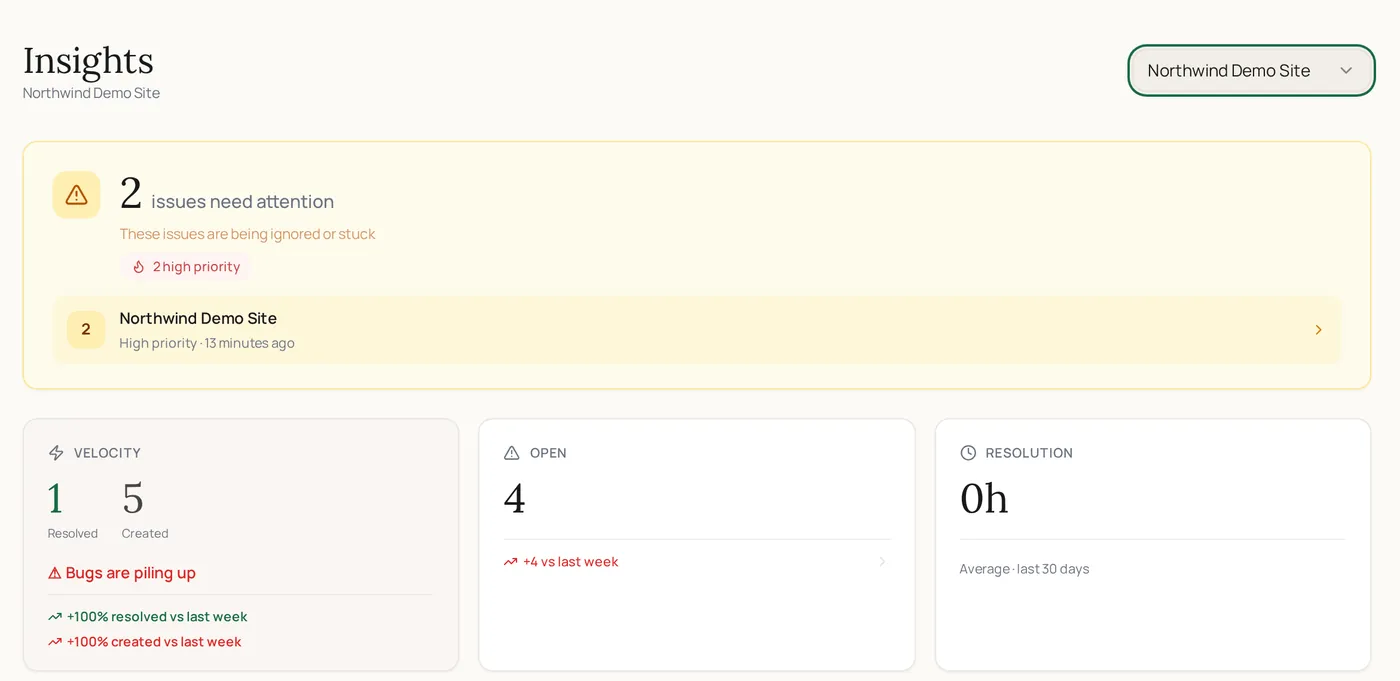
Team collaboration in ClickCues is the people layer around collected feedback: project members with owner, admin, or member roles, threaded discussion with mentions, notifications for the events that matter, and a shared activity history, all attached to the same feedback items the board organises.
Free 7-day trial · Card only at checkout · Manage from Settings
Clear feedback. Fewer revisions. Faster launches.
Used by freelancers, agencies, and marketing teams
Try the widget
The reviewer side, state by state
Switch between the states a reviewer actually moves through. This is the real widget interface, not a rendering of it.
A feedback item with a threaded team discussion and an owner
The Problem
The context that only one person has
The Old Way
- The designer's reasoning lives in a DM the developer never saw
- Two people quietly work the same item, a third assumes someone else has it
- Handoff happens verbally, then gets reconstructed from memory a week later
- Everyone has a different idea of what state the project is in
The ClickCues Way
- Discussion happens on the item, where the next person will look for it
- One assignee per item, visible to everyone on the project
- Mentions pull the right person into the specific request, not the whole project
- A shared activity history means the state of the project is not a matter of opinion
The people layer
Who is in a project and what they can do
Access is per project. Adding a teammate to one client project does not put them in the rest, which is what makes a shared workspace safe to use with several clients.
- Owner
- Full control of the project, including its settings and its members.
- Admin
- Can manage the project and its feedback without holding the keys to everything.
- Member
- Works the board: triages, comments, and resolves the items assigned to them.
- Invitations
- Teammates are invited by email into a specific project rather than into everything you run.
- Reviewers stay outside
- The people leaving feedback are not members and do not take a seat, so team size reflects your team.
- Managed in project settings
- Membership lives with the project it belongs to, next to the widget and feedback rules.
Staying in sync
Being told the right amount
Threaded replies keep the discussion attached to the request. Mentions notify one person about one item instead of broadcasting to a channel. Notifications cover the events worth interrupting someone for, and the activity view gives a chronological read of what has happened on the project recently.
Real screenshots
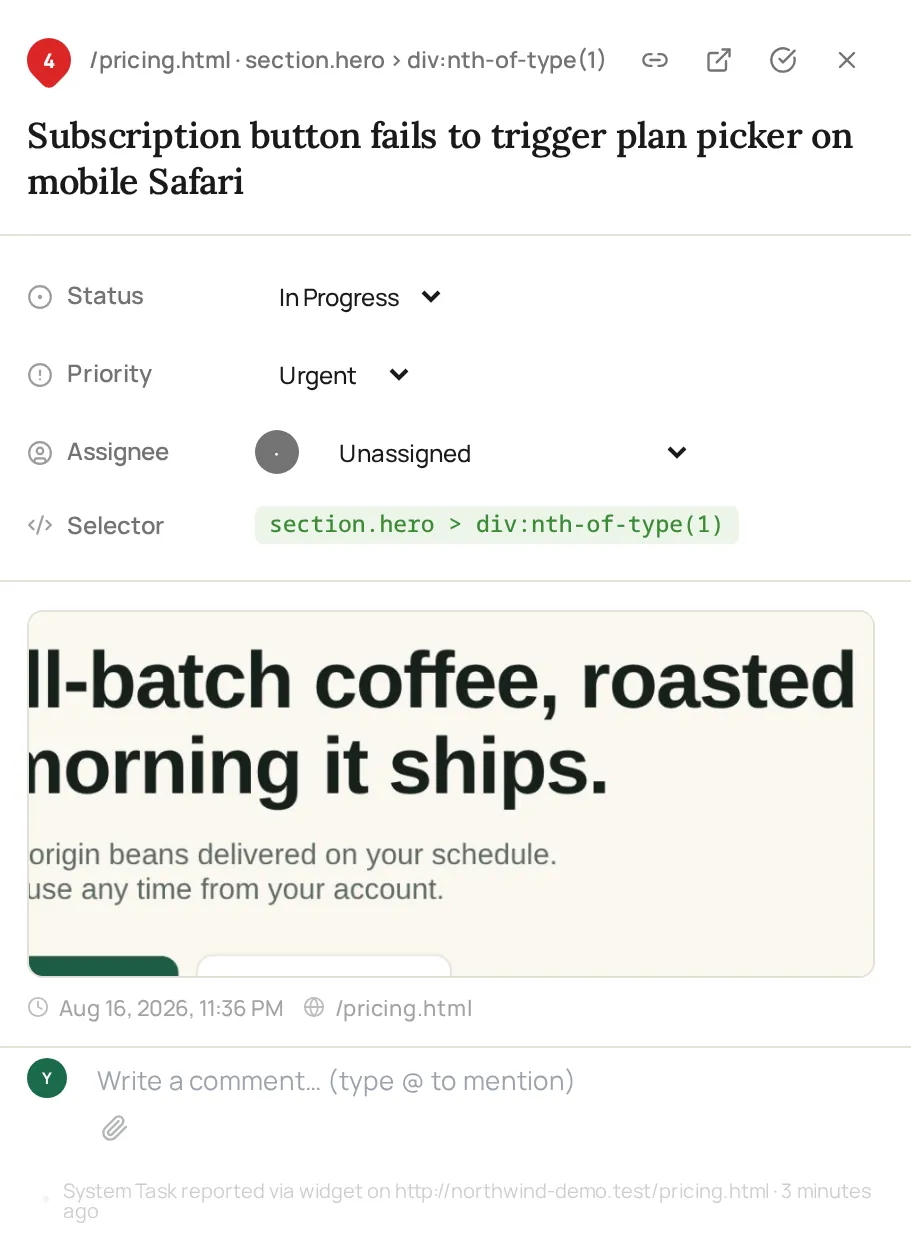
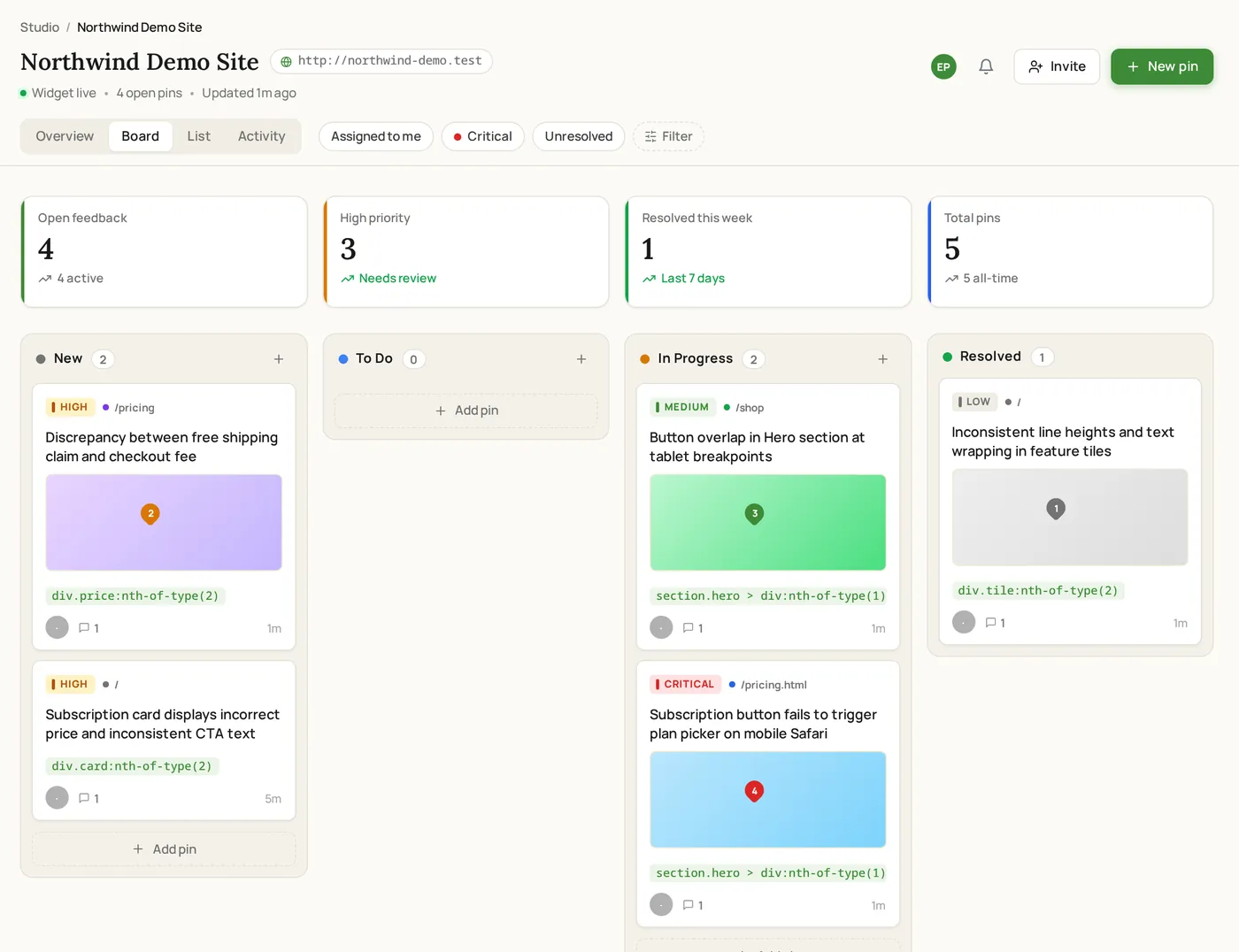
Working an item together
Status, priority, assignee and the internal comment thread all live on the item itself.
How it works
How a handoff runs in ClickCues
The same item travels between roles without anyone re-explaining it.
Invite the people doing the work
Add teammates to the project as owner, admin, or member. Access is scoped to that project, so client work stays separated.
Give the item an owner
One assignee per item removes the ambiguity where a request is technically everyone's and practically nobody's.
On the pricing page mobile view, the primary CTA overlaps the paragraph below.
Discuss it where it lives
Replies happen on the item, and a mention brings in the person who needs to weigh in on that specific request.
Hand off with the history attached
When the item moves from design to development, the reasoning, the reviewer's original note, and the context travel with it.
Features
What keeps a team aligned
Per-project access, not all-or-nothing
Owner, admin, and member roles are set per project, so a contractor on one build never sees the rest of your work.
Pull in one person, on one item
Mentioning a teammate notifies them about that request specifically, which is a smaller and more useful interruption than a channel message.
Told about the things that change your day
Notifications cover the events that matter on a project, and email alerts let the team know when new feedback arrives.
A shared answer to "what happened?"
The activity view lists recent project events in order, so a person coming back on Monday can catch up without asking anyone.
At a glance
How access and attention are managed
Who works together here
Teams where the request changes hands
Keep exploring
Around the team layer
- Feedback board
How the work your team shares is organised and closed.
- AI feedback intelligence
Making a messy submission readable before it reaches your team.
- Agencies
Running several client projects with one studio team.
- Pricing
What each plan includes for team size and storage.
- How ClickCues works
Where collaboration sits in the wider workflow.
FAQ
Questions about working as a team
Last updated: August 2026
Put the whole team on the same record.
Start your 7-day free trial and stop reconstructing decisions from private threads.